Nov 19, 2026
Content Calendar Examples for Consistent Blog Publishing
DraftSEO Team
A blog calendar that only lists publish dates breaks down quickly. Drafts slip, reviews pile up, and the "Tuesday post" goes out on Friday. The content calendar examples below fix that by planning the work behind each post, not just the date it goes live.
Each example is filled in and ready to copy into Google Sheets. Each one comes with a realistic workload, production deadlines, internal-link tasks and slots for refreshing old posts. Pick the one closest to how you work, then adjust the cadence to fit your real capacity.
What a working blog calendar includes
A good blog calendar tracks every step from idea to live post, not only the publish date. At minimum, each row needs these columns:
- Working title and target keyword
- Search intent (informational, commercial, transactional)
- Owner, draft due date and publish date
- Status (Idea, Brief, Drafting, Review, Scheduled, Live)
- Internal links to add (pillar and sibling posts)
- Refresh date for an existing post, where the row is an update
The intent column does more work than it looks like. Before you add a row, check that it answers a reader need no other planned or live post already covers. Two posts that target "content calendar template" and "editorial calendar template" with the same intent will compete with each other. This is called keyword cannibalization.
Four filled-in calendar examples
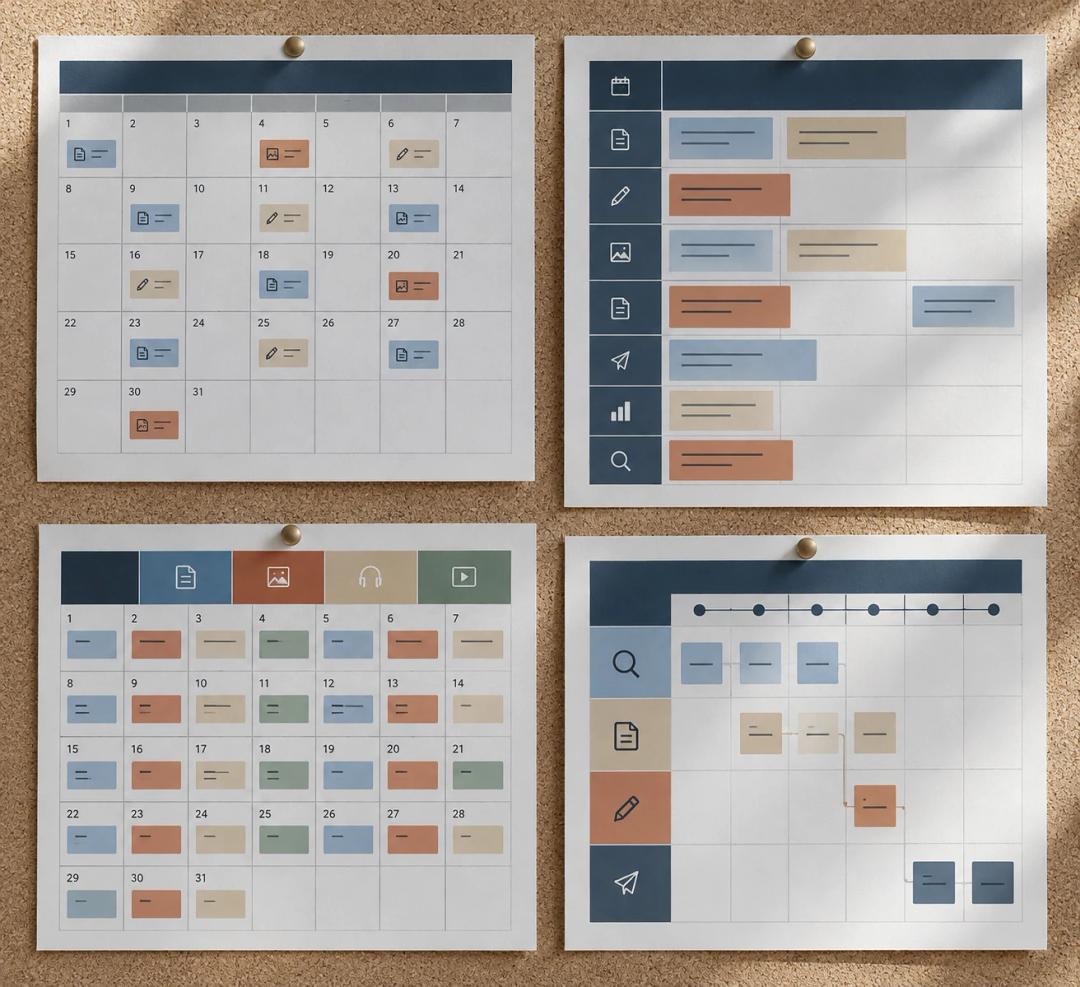
Copy any of these into a blank Google Sheet, one row per article. Dates follow a November–December 2026 cycle.
Solo blogger: two posts a week
One person can research, write and edit roughly 2 posts a week at 1,200–1,500 words each. That length matches survey data: Orbit Media's 2026 edition found an average post length of 1,312 words. Expect about 4–6 hours per post. Set each draft deadline a week before publish, so a sick day doesn't break the schedule.
| Publish | Topic | Keyword | Intent | Draft due | Internal links | Status |
|---|---|---|---|---|---|---|
| 11/24/2026 | How to start a sourdough starter | sourdough starter | Info | 11/17/2026 | Link from flour guide | Review |
| 11/27/2026 | Best bread flour for beginners | best bread flour | Commercial | 11/20/2026 | Link to starter post | Drafting |
| 12/01/2026 | Refresh: no-knead bread recipe | no-knead bread | Info | 11/24/2026 | Add 2 new links | Scheduled |
SEO topic cluster: one pillar, six spokes
Publish the pillar first. Then release one spoke (supporting post) per week, and add a "link back to pillar" task to every row. In the final week, update the pillar so it links out to all six spokes. Without that last step, the cluster stays only half connected.
Agency: multiple clients in one sheet
Give each client its own tab, and keep a master tab that pulls every row through =QUERY() or IMPORTRANGE(). Add columns for client approval and approval deadline. A common setup is approval 5 business days before publish.
| Client | Posts/month | Writer | Client review | Publish days |
|---|---|---|---|---|
| Dental clinic | 4 | Writer A | 5 days | Tue |
| SaaS startup | 8 | Writer B | 3 days | Mon, Thu |
| Law firm | 2 | Writer A | 7 days | 1st & 3rd Wed |
Ecommerce: seasonal lead time
Seasonal posts need time to get indexed and start ranking before demand peaks. Publish 8–12 weeks ahead. A holiday gift guide should go live in early September, which means briefing it in August. Plan the calendar backward from the peak date.
How to build yours in five steps
The fastest way to build a calendar is to set your capacity first and pick topics second.
- Count real hours. Divide your weekly writing hours by hours per post. Ten hours at 5 hours per post gives you 2 posts a week.
- List keywords and group them into clusters, one intent per post.
- Assign each post an owner, a draft date and a review date.
- Reserve every fourth slot for a refresh or a performance review.
- Schedule finished posts in WordPress (Publish → Schedule) at least 3 days ahead.
The frequency figures back this up. Orbit Media found that the share of marketers publishing 2–6 times a week fell from 28% in 2014 to 12% in 2022. Plenty of teams publish less often and still see results. Choose the cadence you can keep up, not the one that looks impressive.
Keeping the schedule running

Calendars usually fail at the handoff between writing and publishing. A missed review leaves a finished draft sitting idle. That's why the status column and the refresh slots matter more than the color coding.
Refreshes and reviews
Once a month, check posts older than 12 months that have lost clicks in Google Search Console. Add them to the calendar as dated rows with an owner, just like new posts.
Automated publishing
If writing time is the limit, you can automate the pipeline. DraftSEO researches keywords, writes articles and publishes them on a schedule, from one a day to 2–6 a week, with up to 30 articles a month per site. You can test that workflow with three free articles. The DraftSEO pricing page explains the free trial and the $39/mo per site Growth plan.
Frequently Asked Questions
How often should I schedule blog posts?
Publish as often as your research, writing and review time allows. For one person, that usually means 1–2 well-researched posts a week. A steady pace you can keep beats bursts followed by gaps.
Where can I find a free content calendar template for Google Sheets?
Copy the tables above into a blank Google Sheet, or start from a free template from a spreadsheet vendor. Whichever you choose, add columns for intent, owner, draft due date and internal links if the template doesn't already have them.
How do I schedule content updates alongside new posts?
Treat each update as its own calendar row with an owner and a due date. Many teams use one slot in four for refreshes. Date the update when it is republished so the change is easy to track.
References
- 32 of the Best Free Content Calendar Templates - Social Media Marketing
- Free Content Calendar Templates and Examples
- How to build a social media calendar that actually drives strategy
- Content calendar templates
- What is a Content Calendar? (Examples and Tips)
- How to Create a Content Calendar for Your Blog
- Content calendar examples | Adobe Express
- 12 Free Editorial Calendar Templates for 2026
- 2026 Blogging Statistics: Blogger Data Shows Trends and Insights Into ...
- Blogging Statistics 2026: Evidence and Planning Limits