Jul 27, 2026

10 Best Automatic Blog Post Writing Tools For Enhanced
DraftSEO Team
Gartner has estimated that by 2026, more than 80% of enterprises will have used generative AI APIs in production, up from under 5% in 2023. That shift is already visible in content marketing, where an automatic blog tool now handles research, drafting, and publishing without a writer touching the CMS. The question isn't whether to automate anymore. It's which platform actually finishes the job instead of leaving you a draft to fix.
Most comparisons rank these tools by writing quality alone, which misses the real dividing line. Some tools generate a document you still have to format, optimize, and post yourself. Others run the entire pipeline — keyword research, drafting, SEO structuring, and scheduled publishing — while you sleep.
What "Automatic" Actually Means in Blog Content Tools
An automatic blog tool that only writes drafts isn't automating your content operation. It's automating one step in a five-step process and leaving the rest to you.
True automation covers keyword research, article structuring, SEO optimization, internal linking, and publishing to your CMS on a schedule. Skip any of those and you're back to manual work, just with an AI-generated starting point instead of a blank page. A tool that outputs 2,000-word articles is worthless if someone still has to format headers, add meta descriptions, source images, and hit publish 30 times a month.
This distinction matters because pricing across this category varies from $20 a month to well over $300, and the expensive tools aren't always the more automated ones. Some premium platforms charge more for higher word-count ceilings while still requiring manual publishing. Cheaper tools sometimes include full CMS integration because that's their core value proposition, not an add-on.
The Oversight Myth
Assuming "automatic" means zero oversight is the most common mistake buyers make with this category. Even the best automatic blog tools need a review pass, at least for the first few months, to catch factual errors, tone drift, or thin sections that read fine to an algorithm but weak to a human reader.
Treat automation as removing repetitive labor, not judgment. A realistic workflow has the tool generate and publish drafts on schedule, while a human spot-checks maybe one in five articles for accuracy and brand voice. That's still a massive time reduction from writing every post manually, but it's not "set it and never look again."
Why Word Count Isn't the Right Metric
Buyers frequently choose tools based on how many words they can generate per article, treating longer output as better output. That's backward. A 900-word article with tight keyword targeting, a clear search intent match, and internal links to three relevant pages will usually outperform a padded 2,500-word piece with no structural logic.
Judge tools on SEO structure and research depth instead: does the tool pull real keyword data, structure headings around search intent, and link internally to your existing content? Word count is a byproduct of good structure, not a goal on its own.
Tools With Full-Pipeline Autopilot Publishing
This is the category that matters most if your goal is organic traffic growth without adding headcount. These tools don't just write; they schedule and publish directly to your site, which is the differentiator most roundups skip entirely.
DraftSEO.ai sits in this category. It generates 30 articles a month for each connected site, covering keyword research through drafting and publishing, and integrates with popular CMS platforms so posts go live without manual formatting or upload. For agencies managing multiple client sites, or ecommerce owners who need a steady content cadence without hiring a writer, that autopilot publishing loop is the actual product, not a nice extra.
Jasper generates strong long-form drafts and has SEO mode integrations, but publishing to WordPress requires a separate plugin setup and manual scheduling in most workflows. It's a writing engine first.
Writesonic offers bulk generation and some automation features, though its native publishing options are more limited than dedicated autopilot platforms, and users often export content for manual posting.
What "Autopilot Publishing" Should Include
A genuine autopilot publishing setup does more than push text to a CMS. It should handle:
- Scheduled publishing at set intervals (daily, weekly, or a custom cadence) without manual triggers
- Automatic formatting of headers, meta titles, and meta descriptions on publish
- CMS-native category and tag assignment based on article topic
- Image handling or placeholder insertion where the CMS requires a featured image
- Draft-versus-live status control, so you can review before articles go public if you choose
Tools that check all five save real time. Tools that check only the first one still require someone to log in and finish the job manually, which defeats the purpose of calling it automatic.
Tools That Generate Drafts You Still Have to Format and Post
Not every strong AI writer belongs in the autopilot category, and that's not necessarily a knock against them. Some tools are built purely as writing assistants, meant to sit inside a broader workflow where a human or a separate system handles publishing.
Copy.ai is a good example. It's fast at generating short-form and mid-length content and works well for brainstorming angles, but it has no native CMS publishing layer. You copy the output, format it, and post it yourself, every time.
Rytr is similarly positioned: strong for quick drafts, weak on structural SEO features like heading hierarchy or internal link suggestions, and entirely manual on the publishing side.
Why This Category Still Has a Place
If you already have a content team that handles editing, formatting, and CMS uploads, a pure drafting tool can be the right call because you're not paying for automation you won't use. The economics only make sense, though, if that human labor is already budgeted. If it isn't, and you're a solo site owner or a small agency stretched across a dozen client accounts, paying for a draft generator means you've automated maybe 30% of the actual work.
The Real Cost of "Draft Only" Tools
The subscription price on these tools often looks cheaper than full-pipeline platforms, sometimes $20 to $49 a month versus $99 and up for autopilot options. But factor in the hours spent formatting, adding meta tags, sourcing images, and manually publishing 20 to 30 articles a month, and the "cheaper" tool often costs more in labor than the pricier automated one saves in software fees.
Keyword Research and Competitor Analysis Built Into the Workflow
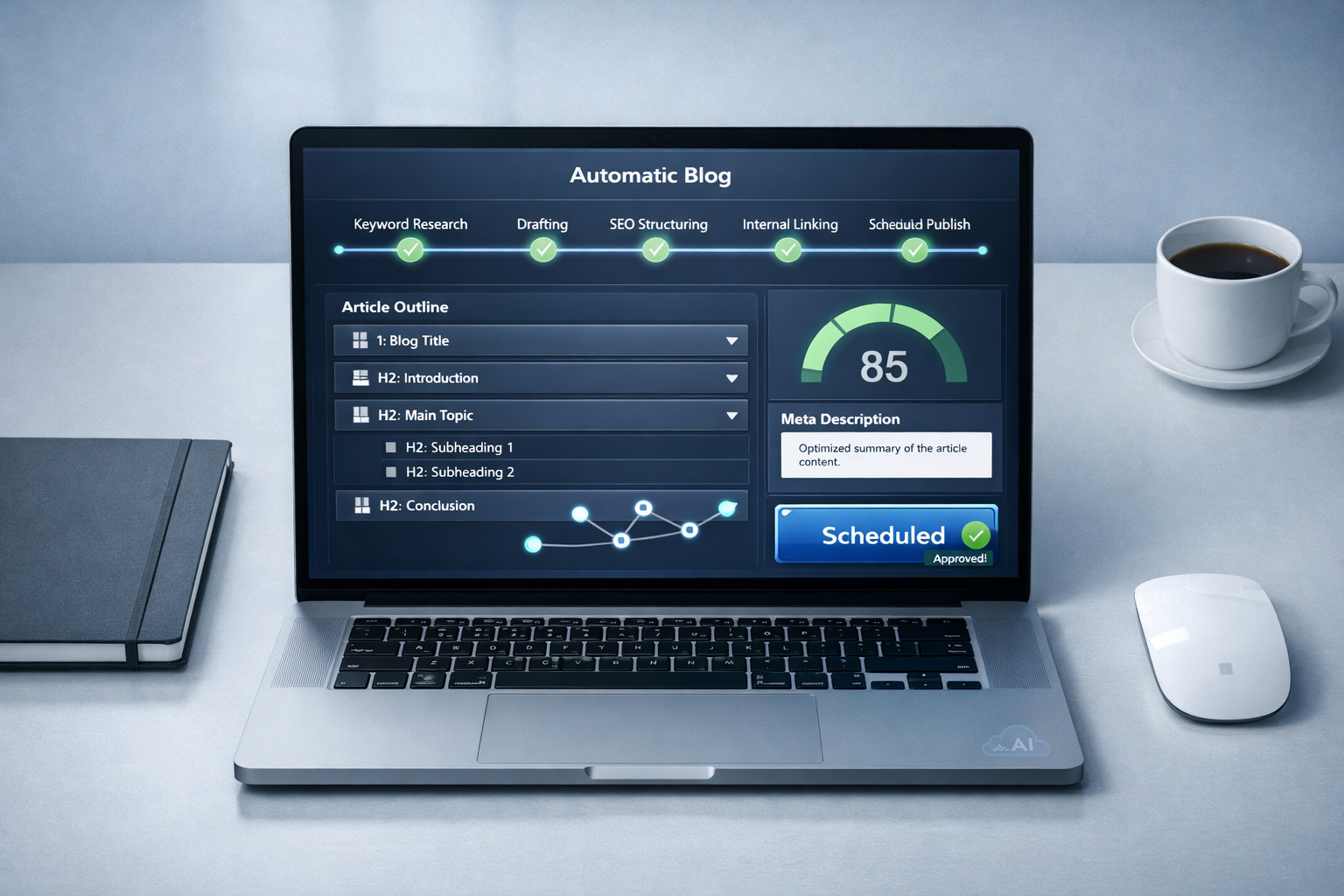
A blog tool that writes well but researches poorly will still produce content that never ranks. Keyword research automation and competitor content analysis are what separate tools built for SEO from generic AI writers repurposed for blogging.
The strongest platforms in this space pull search volume and intent signals before drafting, then structure the article around what's actually ranking for that term. Weaker tools either skip this step or bolt on a basic keyword suggestion box that doesn't inform the actual article structure.
Competitor content analysis matters just as much. If three of the top five ranking pages for a target keyword include a comparison table, a pricing breakdown, and an FAQ section, a tool that ignores that pattern is guessing at structure instead of reverse-engineering what Google already rewards. Some platforms, DraftSEO.ai included, fold this research into the generation step so the article's outline reflects what's actually working in the search results, rather than a generic template applied to every topic.
Signals Worth Checking Before You Commit
Before picking a tool based on its research claims, verify a few things directly. Ask for a sample article and check whether the headings map to identifiable search intent (informational, commercial, transactional) rather than reading like a rewritten Wikipedia entry. Check whether the tool references competing content in any visible way, even something as simple as matching common subtopics found on ranking pages.
Bulk Generation Without Losing Research Depth
Bulk content generation is where research depth is most often sacrificed. It's easy to generate 50 articles from a keyword list in an afternoon. It's much harder to make each one individually researched rather than templated. If a tool's bulk mode produces articles that all follow an identical heading pattern regardless of topic, that's a sign the research step is shallow or skipped for volume runs.
SEO Optimization and Internal Linking: The Part Most Tools Half-Finish
SEO optimization inside an automatic blog tool needs to go past keyword density checks. It should include heading structure aligned to search intent, meta title and description generation, schema markup where relevant, and internal links placed contextually within the body, not just tacked on as a "related posts" widget at the bottom.
Internal linking automation is the piece that gets skipped most often, and it's one of the more valuable technical SEO signals a growing site can build. When a tool can scan your existing published content and insert contextual links to relevant pages automatically, you get compounding SEO value from every new article instead of a library of isolated posts with no link equity flowing between them.
Manual internal linking at scale is genuinely tedious. An SEO professional managing a 40-post backlog for a client site knows that going back and adding links by hand across dozens of pages, every time a new post publishes, eats hours that rarely get billed properly. Automating that step, even imperfectly, beats skipping it entirely.
Content Quality Control and Originality Checks
Quality control has to run on two tracks: originality and accuracy. Plagiarism and originality checks confirm the output isn't duplicating existing web content, which matters both for Google's duplicate content signals and for legal safety if you're publishing under a brand name.
Accuracy checks are a separate, harder problem. AI models can state incorrect facts confidently, particularly around statistics, dates, and technical specifications. Tools with a built-in fact-verification pass, or at minimum a clear disclosure that human review is recommended before publishing on YMYL (Your Money or Your Life) topics like health, finance, or legal content, are more trustworthy than tools that market themselves as fully hands-off in every niche.
What Weak Quality Control Looks Like in Practice
Watch for a few warning signs before trusting a tool's automated quality claims: generic hedged language throughout an article, no cited sources or named references for factual claims, identical sentence structures repeated across multiple articles from the same tool, and no visible option to review before publish. Any one of these suggests the platform prioritizes speed over accuracy, which shows up eventually as ranking drops or reader trust issues.
Comparing the 10 Tools by Automation Depth
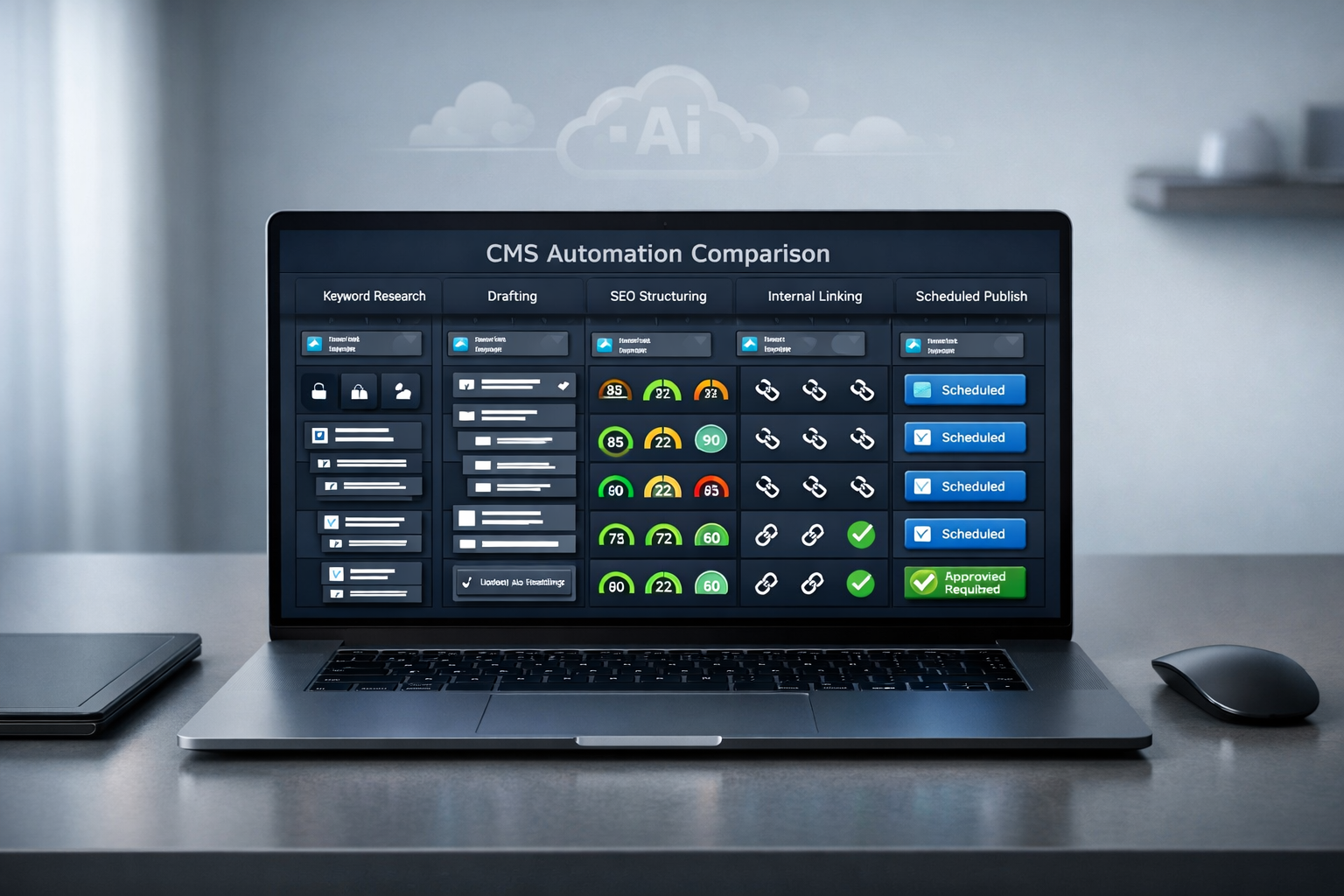
Full automation pipelines, partial automation, and pure drafting tools sit on a spectrum, and where a tool falls on that spectrum should drive your decision more than brand recognition. The table below groups ten commonly compared tools by what they actually automate, not just what they claim.
| Tool | Research Automation | SEO Structuring | Publishing Automation | Best Fit |
|---|---|---|---|---|
| DraftSEO.ai | Full | Full | Full (CMS auto-publish, 30 articles/month) | Agencies, ecommerce sites, solo site owners |
| Jasper | Partial | Partial (via add-on) | Manual/plugin-based | Long-form drafting teams |
| Writesonic | Partial | Partial | Limited | Bulk drafting with light editing |
| Copy.ai | Minimal | Minimal | None | Short-form brainstorming |
| Rytr | Minimal | Minimal | None | Quick, low-stakes drafts |
| Surfer SEO | Full (SEO data) | Full (via editor) | None (pairs with a CMS plugin) | SEO-focused manual editing |
| Frase | Full (research) | Partial | None | Research-heavy content briefs |
| ContentBot | Partial | Partial | Limited | Small teams testing automation |
| Article Forge | Minimal | Minimal | Limited | High-volume, low-oversight niches |
| WordAi | Minimal | Minimal | None | Content spinning/rewriting |
Two things stand out in that comparison. First, full research automation and full publishing automation rarely show up in the same tool, which is exactly why checking both matters instead of assuming one implies the other. Second, tools like Surfer SEO and Frase are excellent for research and structure but were never built to publish; pairing them with a separate scheduling plugin is standard practice among technical SEO teams, not a flaw in the tools themselves.
Checking CMS Compatibility Before You Commit to a Tool
Ignoring CMS compatibility is one of the costliest mistakes in this buying decision, and it's avoidable with five minutes of research before signing up. A tool that writes brilliant articles is useless if it can't push content into your specific setup without a developer building a custom integration.
WordPress remains the dominant target, and most automation platforms build their integrations around it first. Confirm whether the tool connects through a native plugin, a REST API connection, or a manual export-import process, because those three options require very different levels of technical involvement from your team.
Questions to Ask Before Signing Up
Run through a short checklist with any vendor, or in their documentation, before committing to a monthly plan:
- Does the integration support your specific CMS version, not just "WordPress" broadly, since major version differences can break plugin compatibility?
- Can the tool assign categories, tags, and featured images automatically on publish, or does that step stay manual?
- Is there a staging or draft mode, so new automation doesn't immediately go live on a production site?
- What happens to already-published content if you cancel? Some tools remove access to editing history; others leave everything intact.
- Does the platform support multiple connected sites under one account, which matters if you're an agency managing client properties?
Skipping this checklist is how agencies end up locked into a tool for three months before discovering it can't handle their client's custom WordPress theme or a Shopify blog setup that behaves differently from a standard WordPress install.
Multi-Site Management for Agencies
Agencies managing content across ten or more client sites face a different problem than solo bloggers: consistency at scale without losing site-specific voice. A platform that connects to multiple sites and generates niche-tailored content for each one, rather than applying one generic template account-wide, saves significant setup time when onboarding a new client.
Getting Started Without Overcommitting to One Tool
The lowest-risk way to test any automatic blog platform is a trial period where you connect one site, let the tool run for two to four weeks, and evaluate the output against your normal editorial standards before rolling it out further.
Watch three things during that trial window: whether published articles need heavy editing after the fact, whether the internal linking actually adds value or just links to random pages, and whether the publishing schedule holds without your intervention. If a tool passes those three checks with minimal correction needed, it's earned a longer commitment.
DraftSEO.ai offers a way to test this without financial risk. New accounts get a free trial with initial credits, so you can see how the research, drafting, and publishing pipeline performs on a real site before paying anything. You can review the current trial details and plans on the DraftSEO.ai pricing page.
Don't skip the trial step even if a sales page or comparison table looks convincing on paper. Every site has quirks, a specific niche vocabulary, an existing internal link structure, a particular CMS theme, and automation tools perform differently against those quirks than they do in a generic demo.
A final practical note: don't run two automation tools on the same site simultaneously during a trial. Overlapping publishing schedules or conflicting internal linking logic from two systems create duplicate content risks and messy category structures that take real time to untangle afterward.
Frequently Asked Questions
Can an automatic blog tool really run without any human review?
Not reliably. Even the best tools benefit from spot-checking articles for factual accuracy and brand tone, especially in the first few months, though the time investment is far lower than writing every post manually.
How many articles per month should a small business expect to publish?
Most small sites see traction with 8 to 12 well-structured articles a month, though ecommerce sites and agencies managing multiple properties often push toward 30 to build topical coverage faster.
Do all AI writing tools publish directly to WordPress?
No. Many generate drafts only, requiring manual formatting and upload. Confirm native CMS integration, not just export options, before assuming a tool includes publishing automation.
Is cheaper always better when comparing these tools?
Not usually. A lower subscription price often hides missing automation, like manual publishing or no internal linking, which adds hours of labor that can cost more than the savings on software fees.