Nov 3, 2026

Internal Linking SEO: A Practical Guide for Blogs
DraftSEO Team
Internal linking means linking one page on your site to another with descriptive anchor text. It helps search engines find and crawl your pages, shows which pages matter most, passes authority between them, and sends readers to related posts. For a blog, the routine is simple: link each new post to relevant older ones, then link back from those older posts. This guide gives you that routine, the link types worth knowing, and the cases where more links don't help.
Why Internal Links Matter for Rankings and Readers
Google finds most pages by following links. If no page links to a post, a crawler may never reach it, or it may reach it rarely. Pages with no incoming internal links are called orphan pages. They can still get indexed through a sitemap, but you've given search engines no sign that they matter.
Links also share authority. A page with many backlinks passes part of that strength to the pages it links to. Linking from your strongest posts to the pages you want to rank is one of the few ranking levers you fully control.
Contextual vs. Navigational Links
Contextual links sit inside body text and point to a related page. Navigational links live in menus, breadcrumbs, footers and sidebars. Contextual links carry the most meaning because the surrounding sentence tells Google what the target page covers.
Internal vs. External Links
Internal links point to pages on your own domain. External links point to other domains. Both matter, and they work together: backlinks bring authority into your site, and internal links decide where it goes.
A Six-Step Routine for Every New Blog Post
Run this each time you publish. It takes about 10 to 15 minutes per post once you have a habit.
- Pick the parent page. Find the pillar page (your main guide on the topic) that the new post supports, and link to it early in the post.
- Add 2 to 4 links out. Link to older posts only where a reader would want that detail. Don't chase a quota.
- Search your site for mentions. Use Google with
site:yourdomain.com "keyword"to find older posts that already discuss the new topic. - Link back. Edit those older posts to point to the new one. This step is what stops the new post from becoming an orphan.
- Write descriptive anchors. Use words that say what the page is about, such as "keyword research for blogs", not "click here" or "read more".
- Check the links. Click each one and confirm it returns a live page, not a redirect or a 404 error.
Most sites skip step 4. They link only from new posts and never update old ones, so older content gets no help from fresh pages.
Doing this by hand across dozens of posts gets slow. DraftSEO.ai adds internal links to each article it writes, and its free WordPress plugin helps with publishing, so new posts go live already connected to your existing content.
Anchor Text, Link Counts and When More Links Don't Help
There is no correct number of links per post. A 600-word post may need two. A 3,000-word guide may need ten. Link where a reader would otherwise have to search for the next answer.
Anchor Text That Works
Use short, natural phrases that describe the target. Vary them. If every link to one page uses the same exact-match phrase, it looks forced and reads badly. Anchors like "orphan page check" and "finding pages with no links" can point to the same guide.
When Extra Links Don't Help
On a site with fewer than about 20 posts, a clear menu and a few cross-links already cover everything. Adding more won't change crawling. Thin pages are another case: linking to a 150-word page with little value only sends readers to a weak result. Improve or merge it first.
Tools for Auditing Internal Links
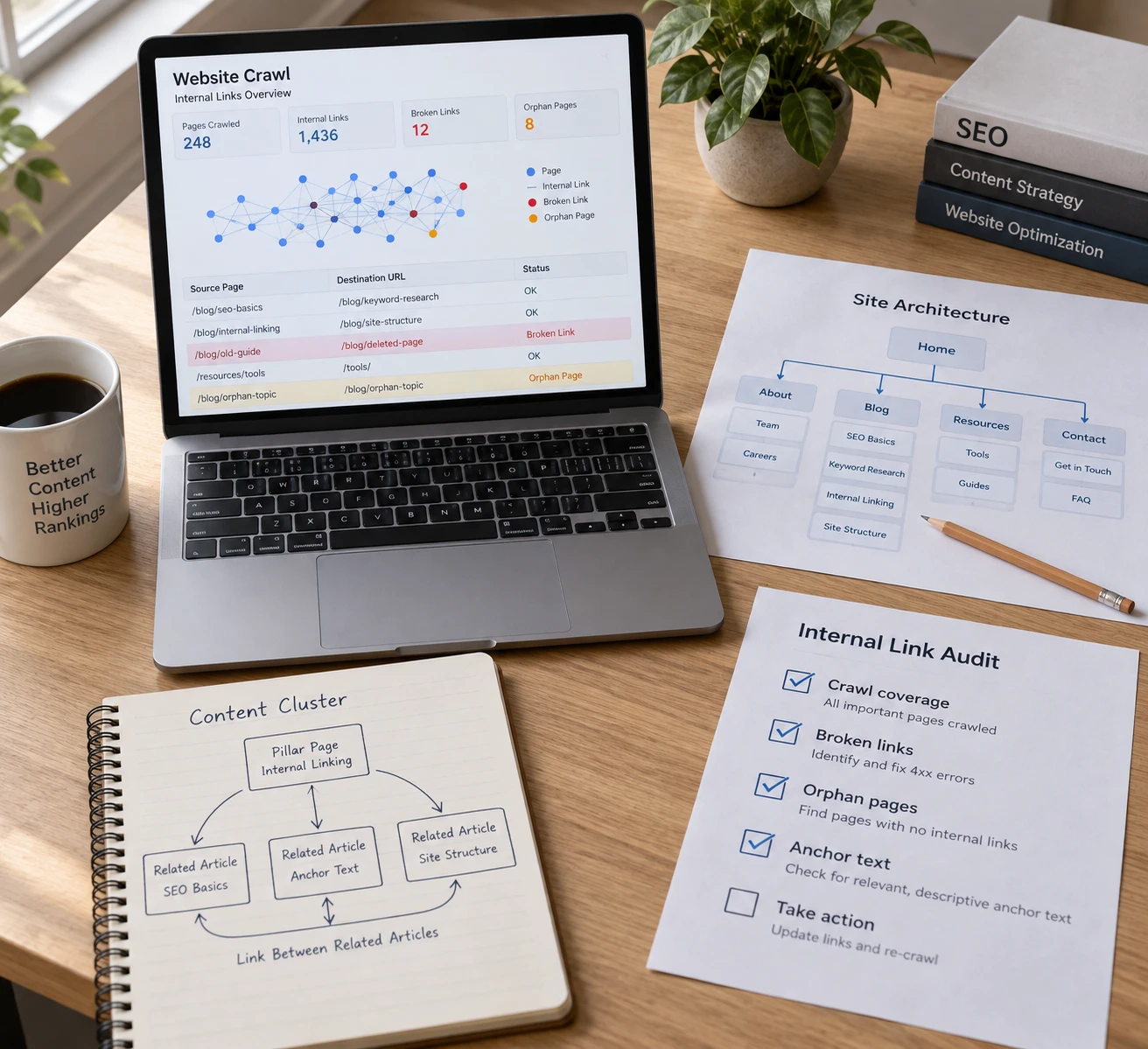
An audit finds orphan pages, broken links and redirect chains. Run one every quarter.
| Tool | Best for | Finds orphan pages |
|---|---|---|
| Screaming Frog SEO Spider | Full site crawls, redirects, broken links | Yes, when you add sitemap, Analytics or Search Console data |
| SE Ranking site audit | Link issues with guided fixes | Yes |
| Yoast SEO Premium | Link suggestions while writing in WordPress | Not its main job |
| Google Search Console | Free link counts per page | No, but its data helps you spot them |
To find orphan pages, crawl the site, then compare the crawl against your XML sitemap. Any URL in the sitemap that the crawl didn't reach has no internal path to it. Fix each one by adding a link from a relevant post, or remove the page if it has no use.
Fix broken internal links by editing the link itself. Don't leave it pointing at a redirect, because every redirect adds a step for crawlers.
Frequently Asked Questions
How many internal links should a blog post have?
There's no fixed number. Most posts need about 2 to 5, placed where they help the reader. Judge each link by whether it answers a likely next question, not by a count.
How do I add internal links in WordPress?
Highlight the anchor text in the block editor, click the link icon, and search for the post by title. Then open the older post and add a link back to the new one.
What is the best anchor text for internal links?
Use a short phrase that describes the target page, such as "internal link audit". Avoid "click here" and avoid repeating one exact phrase for the same page. If you'd like to publish linked articles on autopilot, you can try DraftSEO.ai free on your first site.
References
[1] Internal Linking for SEO: Types, Strategies & Tools
[2] Internal Links: An SEO Guide to Proper .
[3] Internal Linking for SEO: best practices, strategies, axioms
[4] Guide to Internal Linking SEO: Tips, Tools & Best Practices
[5] Internal linking in SEO: A Complete Guide for 2022
[6] Internal Linking for SEO: Strategy + Best Practice Tips - Intellar
[7] Internal Linking Strategy For SEO | The Ultimate Guide