Sep 18, 2026

Related Content: 7 Ways to Boost SEO
DraftSEO Team
Google's own Search Central documentation has said for years that internal links help crawlers "understand the relationship" between pages — yet most sites still run a stock related posts widget and hope for the best. That's the gap. Related content only moves rankings when it's built on deliberate topical clustering, not bolted on after the fact by a plugin's default settings.
If you write and publish content without a linking plan, your related content section is decoration. Get the structure right first, and it becomes one of the more reliable levers you have for both crawl efficiency and user engagement.
Why Most "Related Posts" Setups Don't Move Rankings
A stock related posts plugin picks articles by tags, categories, or vague similarity scores. It doesn't know whether those articles reinforce the same topic your page is trying to rank for. That's the core problem: relevance isn't the same as relatedness in a plugin's eyes.
Installing Contextual Related Posts or Yet Another Related Posts Plugin (YARPP) on WordPress takes five minutes. Getting it to actually improve rankings takes a content strategy behind it. Without one, you get pages linking to random posts that share a tag but nothing else — thin topical overlap, weak anchor text, and links that dilute equity instead of concentrating it.
The Silo-First Principle
Think of your site architecture in terms of content silos: clusters of pages built around one core topic, linked tightly to each other and loosely (or not at all) to unrelated clusters. A page about "email marketing automation" should link to other automation pages, not to an unrelated post about social media scheduling just because both share the tag "marketing."
What Changes When You Plan Clusters First
When you map your cluster before you write, related content stops being an afterthought. Each new article gets written with 2-4 planned internal links in mind, and the widget at the bottom of the page becomes a reinforcement of that structure rather than a substitute for it.
7 Ways Related Content Actually Boosts SEO
These tactics work together. Skipping the planning step and jumping to plugin settings is the most common mistake I see.
- Build topic clusters before you build pages. Map a pillar page and 6-10 supporting articles around one theme before publishing any of them.
- Hand-pick anchor text for every related link. Avoid "click here" or "read more" — use descriptive phrases like "email deliverability checklist" that match the target page's intent.
- Cap related links per page at 3-5. Beyond that, link equity spreads too thin and users get overwhelmed.
- Use a related posts widget as a backup, not the strategy. Manual contextual links inside the body carry more weight than widget links at the bottom.
- Match semantic relevance, not just tags. Two posts sharing a category isn't enough; they need overlapping entities and search intent.
- Refresh related links quarterly. New cluster content should get folded into older pages' related sections, not just the newest posts.
- Track click-through on related modules. Low engagement usually means the links aren't actually related — fix the cluster, not the widget design.
Anchor Text: The Detail Most Sites Get Wrong
Generic anchor text tells Google almost nothing about the linked page's topic. Descriptive anchor text does double duty: it helps users decide whether to click, and it reinforces the target page's keyword relevance through anchor text signals. If every related link says "learn more," you've wasted a ranking opportunity on every single page.
Link Equity: Why Fewer, Better Links Win
Every page has a finite amount of link equity to pass along. Spread it across 15 tangentially related links and each one gets a small fraction. Concentrate it on 4-5 tightly related pages within the same cluster, and those pages get a real signal. This is the opposite of what most default plugin settings encourage, since they're built to maximize the number of links shown, not the quality of each one.
Bounce Rate, Dwell Time, and What Related Content Actually Fixes
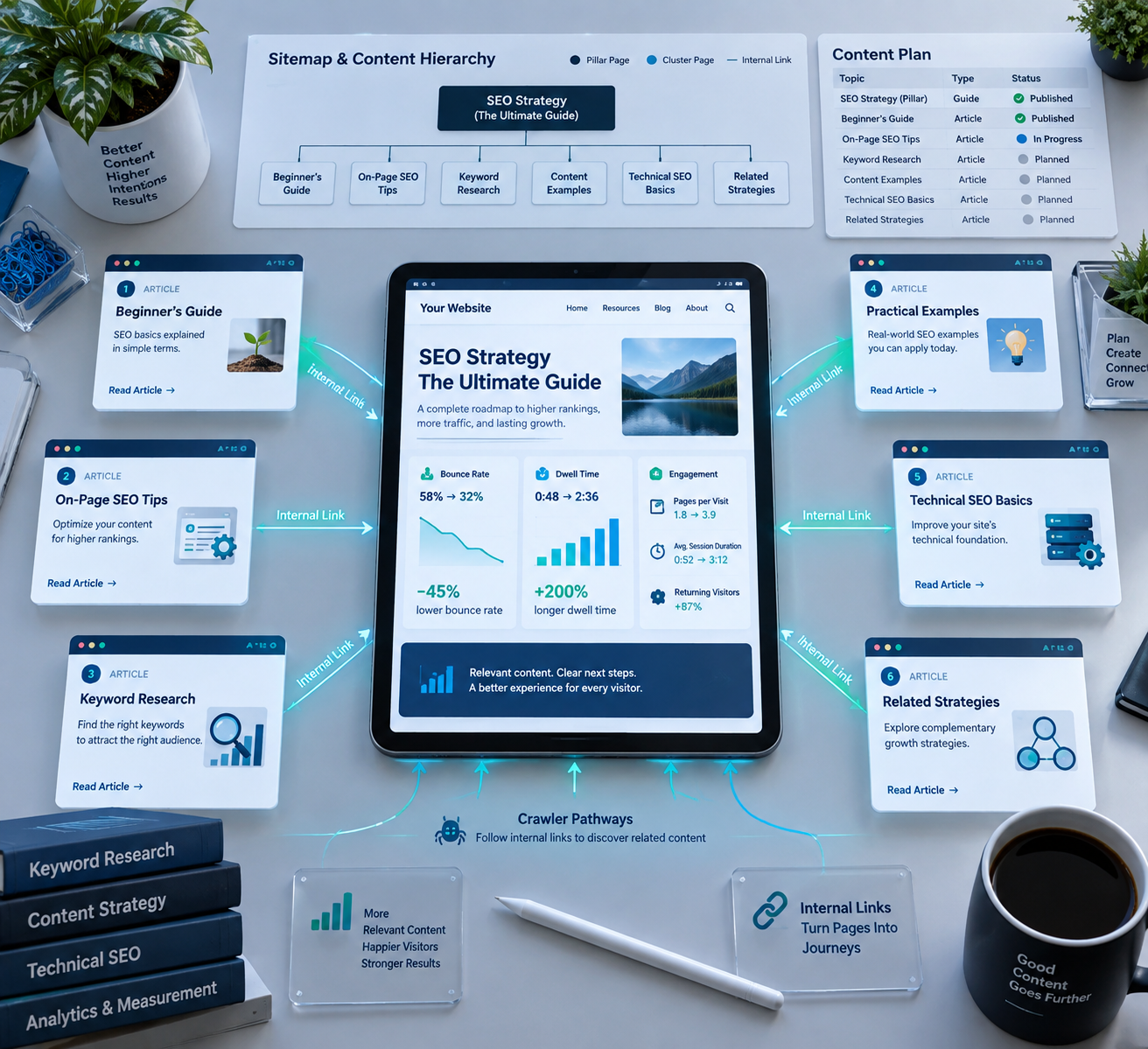
Related content reduces bounce rate by giving an engaged reader a next step that matches what they were already looking for. It doesn't work on readers who weren't going to stay anyway — no widget fixes a page that fails to answer the query in the first place.
Dwell time is the metric that matters more here. A visitor who reads your article, clicks into a related piece, and reads that too is sending a stronger engagement signal than one who bounces after 40 seconds. Google's algorithms don't use dwell time as a direct ranking factor by official statement, but the downstream effects — more pages indexed per session, more internal signals, more return visits — compound over months.
The trap is assuming any related link helps. A related content block stuffed with 8 loosely connected posts, sorted by "most recent" instead of relevance, often increases bounce rate because it signals the site doesn't have a clear structure. Users notice that, even if they can't name why.
| Related Content Approach | Typical Link Count | Relevance Quality | Effect on Bounce Rate |
|---|---|---|---|
| Default plugin, tag-based | 6-10 | Low to mixed | Marginal or negative |
| Manual links, same cluster | 3-5 | High | Noticeable reduction |
| Hybrid: manual + widget backup | 4-6 | High | Best of both, most durable |
Making Clusters Work at Scale Without Burning Weeks on Manual Linking
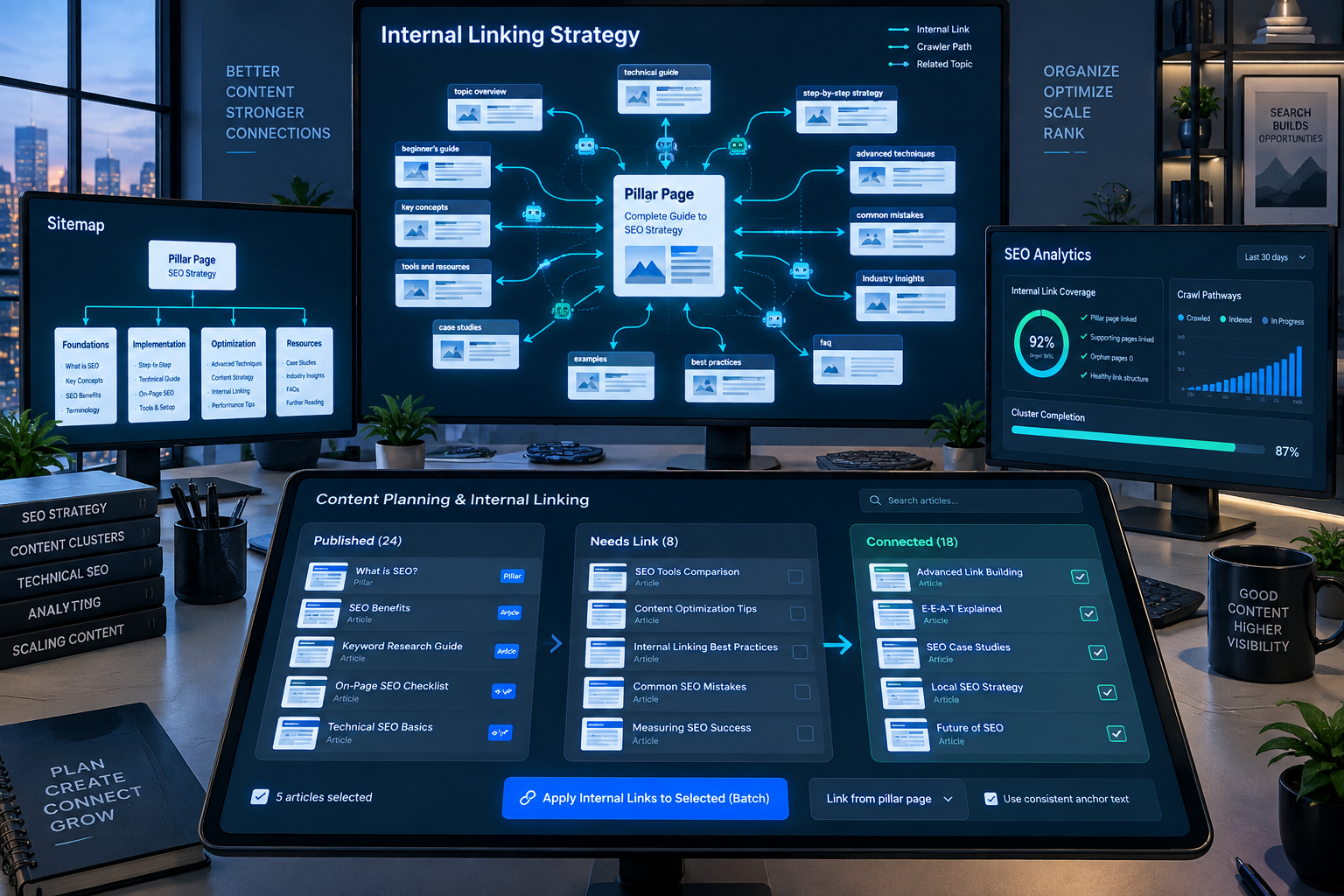
Manually mapping a cluster of 20+ articles and cross-linking each one by hand is realistic for a single site with a part-time content person. It stops being realistic once you're managing five client sites or a blog publishing daily.
This is where automating content clusters at scale actually pays off. A platform like DraftSEO.ai generates 30 articles a month per connected site and can be pointed at a specific niche or topic cluster, so the output already leans toward the same subject cluster instead of scattering across unrelated topics that then need related-content links bolted on afterward. It integrates with popular CMS platforms, which matters because the clustering only helps if the articles actually get published into the right site structure, not sitting in a queue.
That doesn't replace the planning step. You still decide the cluster's shape, the pillar page, and which existing pages need updated related links. What it removes is the bottleneck of writing enough on-topic supporting content, one article at a time, to make a cluster worth linking together in the first place.
One-Time Setup Is the Wrong Mental Model
Related content isn't a checkbox you tick during launch week. New pages join a cluster, old pages get updated, and anchor text needs revisiting as your keyword targeting shifts. Sites that treat it as ongoing maintenance — checking cluster gaps every quarter — keep their internal link equity distributed correctly as the site grows. Sites that set it once in 2022 and never touch it again usually have related content sections full of dead-end links to pages that no longer rank for anything.
If you're trying to build out a genuinely linkable set of related articles without spending a month writing them by hand, generating linkable related articles is one of the more direct uses for AI content tools right now, and DraftSEO.ai's free trial with starter credits, detailed on the pricing page at https://draftseo.ai/pricing, is enough to test whether the output fits into an existing cluster before committing to a monthly plan.
Frequently Asked Questions
Does adding a related posts plugin actually help SEO, or is that a myth?
It helps only when the linked posts are genuinely topically related and use descriptive anchor text. A tag-based plugin with no relevance filtering usually adds noise, not ranking signal.
How many related content links should a single page have?
Stick to 3-5 well-chosen links per page. More than that spreads link equity too thin and tends to reduce, not raise, engagement on the linked pages.
Can related content fix a high bounce rate on its own?
No — it only helps if the original page already satisfies the search intent. Related links give an engaged reader a next step; they don't rescue a page that fails to answer the query.