Oct 13, 2026

How to Write SEO Headlines That Rank (+ 9 Powerful Templates)
DraftSEO Team
Google rewrote the title tags on roughly 61% of the pages in a 2021 analysis by Zyppy that studied 80,959 titles. That means your headline often isn't the one searchers see. Search engine optimization headlines work when they match what the searcher wants, fit the display limits, and describe the page honestly. Here's how to build them, plus 9 templates and the situations where each one fails.
What a Headline Can and Can't Do for Rankings
A headline is a relevance signal and a sales pitch. It doesn't carry a page by itself. Google ranks pages on intent match, content quality and links, and the title helps it confirm the topic. Then the title has a second job: persuading a person to click.
Title Tag vs. H1
The title tag is what appears in search results and browser tabs. The H1 is the visible heading on the page. They can be identical, but they don't have to be.
Use the title tag to win the click, with the keyword near the front and a clear benefit. Use the H1 to confirm the promise to someone who already arrived. An H1 can run longer and read more naturally, since it doesn't get cut off.
Length and Truncation
Google truncates by pixel width, not character count. Desktop titles cut off at roughly 580 to 600 pixels, which is about 50 to 60 characters. Wide letters like "W" use up more space than "i."
Put the keyword and the main promise in the first 50 characters. If the cut-off hides your number or your benefit, the headline fails at its job.
9 Headline Templates and When Each One Fits
Treat these as starting points. Each template matches one search intent, and each breaks when you force it onto the wrong one.
| Template | Best intent | Avoid when | Before → After |
|---|---|---|---|
| 1. How-to | Learn a skill | The answer is one sentence | "Email Tips" → "How to Write Subject Lines That Get Opened" |
| 2. Numbered list | Compare options | The list is padded | "Good CRMs" → "7 CRMs for Small Teams, Compared" |
| 3. Question | Quick answer | You can't answer in the first paragraph | "Title Length" → "How Long Should a Title Tag Be?" |
| 4. Year-stamped | Fresh info | You won't update it yearly | "Best Laptops" → "Best Laptops for Students (2026)" |
| 5. Versus | Decision between two | One option is a strawman | "Shopify Review" → "Shopify vs. WooCommerce: Which Costs Less?" |
| 6. Beginner's guide | Broad learning | Searchers want a quick fix | "SEO" → "SEO for Beginners: A Step-by-Step Guide" |
| 7. Mistake/warning | Troubleshooting | You can't name real mistakes | "Site Speed" → "5 Site Speed Mistakes Costing You Traffic" |
| 8. Outcome plus constraint | Practical result | The result is exaggerated | "Grow Traffic" → "Double Blog Traffic Without New Posts" |
| 9. Definition | Early research | The term is already well known | "Canonical Tags" → "What Is a Canonical Tag? A Plain Explanation" |
Match the template to the query's wording. Someone typing "best" wants a list or a comparison. Someone typing "how to" wants steps. A list headline on a how-to query often loses to pages that give a process.
Writing the Headline: A Repeatable Process
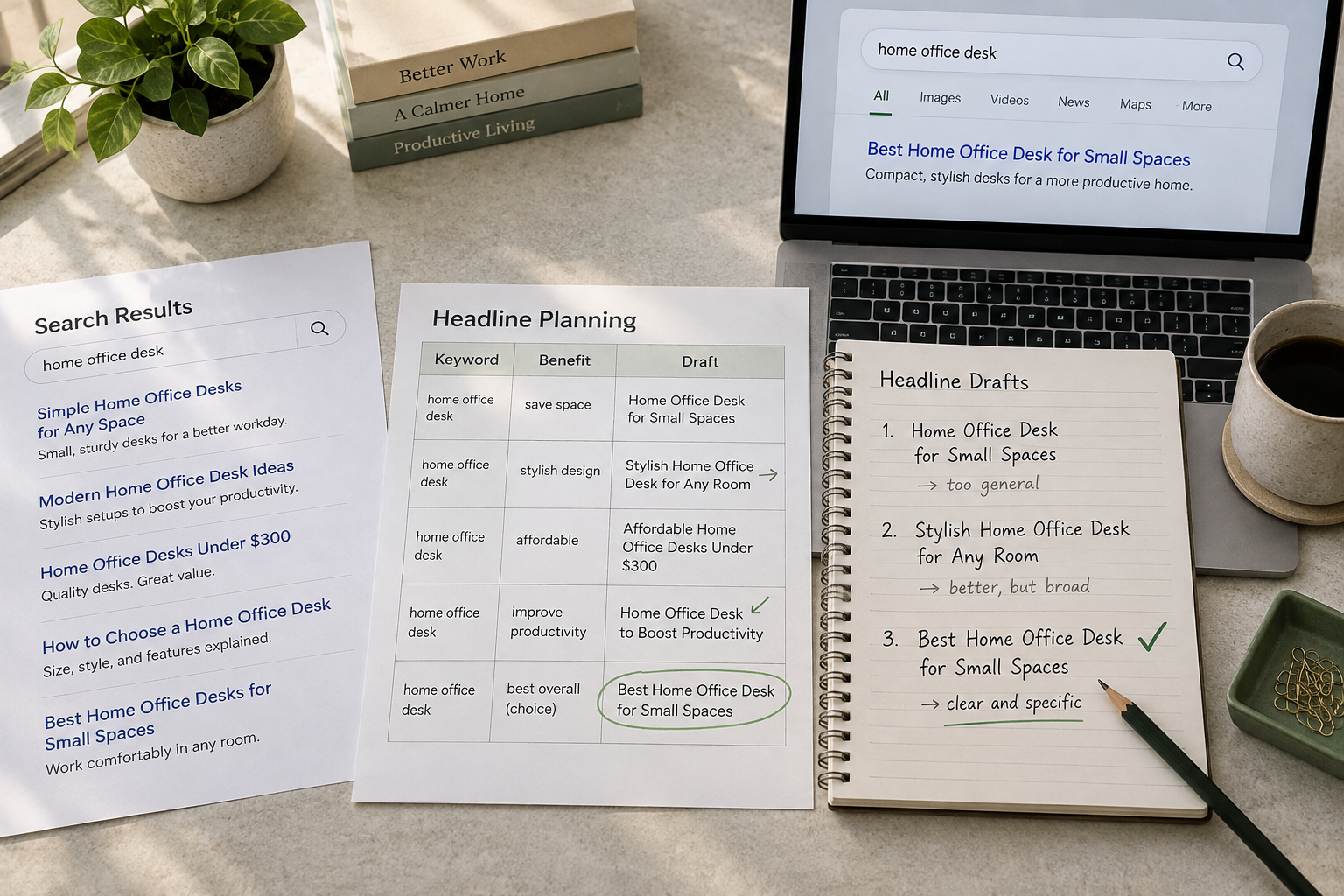
Start with the query, not the template. Read the top five results and note what format they share. That format tells you the intent Google believes in.
Steps to Draft One
- Search your target phrase and note the dominant result type (guides, lists, tools).
- Pick the template from the table that matches that type.
- Place the primary keyword in the first half of the title.
- Add one concrete detail: a number, a year, or a named constraint.
- Check the length in a pixel-width preview tool and trim to about 580 pixels.
- Confirm the page delivers every word of the promise.
Power Words, Numbers and Honesty
Numbers help because they set an expectation about scope. Power words such as "proven" or "simple" help only when they're true. A headline that promises "7 free tools" and delivers 3 free ones and 4 trials sends readers straight back to the results page. That behavior, called pogo-sticking, tells Google the page didn't satisfy the query.
Don't repeat the keyword twice to "reinforce" it. Stuffing reads badly, shortens the useful space, and lowers clicks.
Scaling, Testing and Catching Google's Rewrites
Writing one good headline is easy. Writing 30 consistent ones each month is where quality slips, because titles drift toward the same formula. DraftSEO.ai generates 30 articles a month for connected sites and publishes through popular CMS integrations, so you can review headlines in one batch rather than rebuilding each one by hand.
Check Whether Google Rewrote Your Title
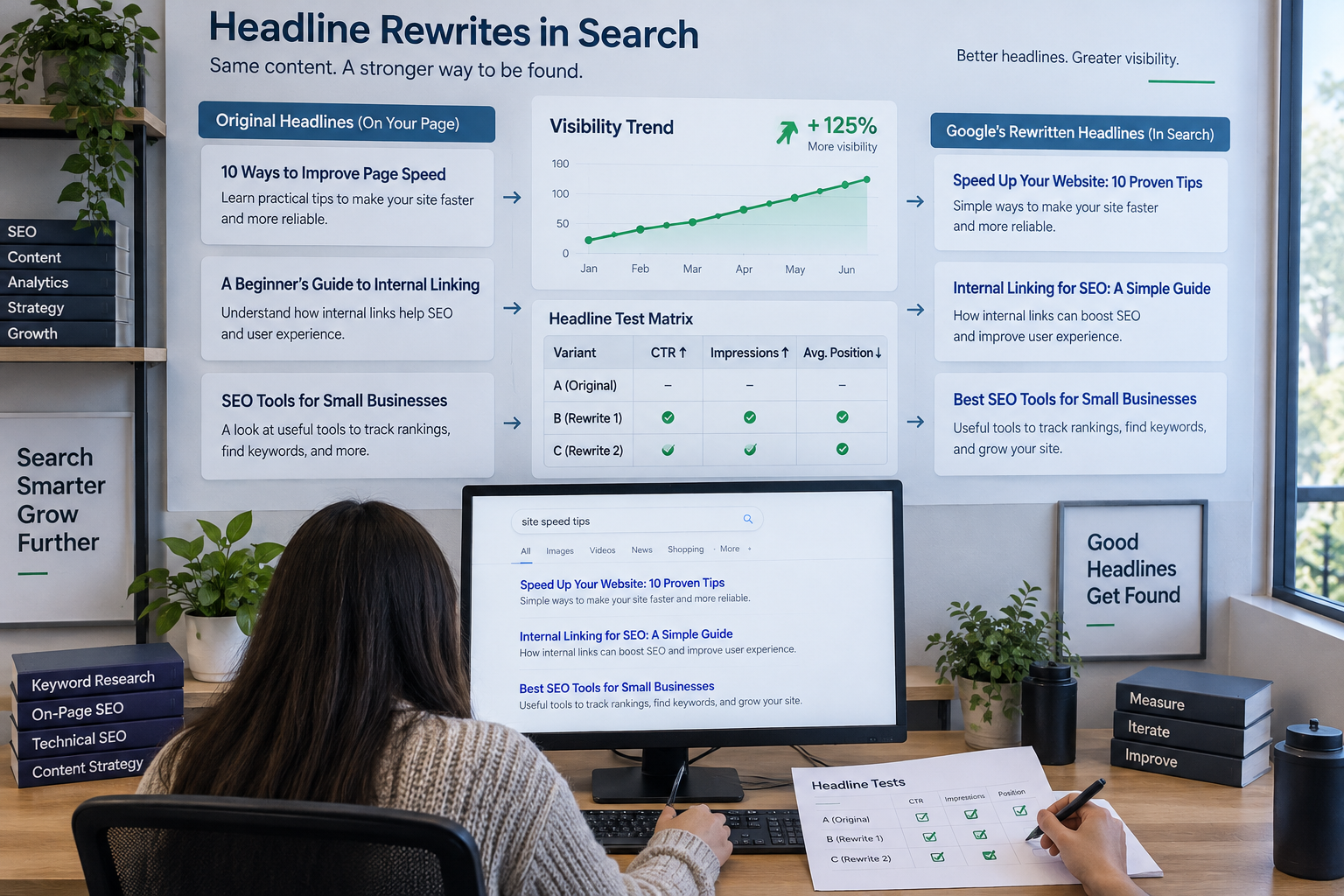
Search for site:yourdomain.com "exact page topic" or your target query, then compare the displayed title with your title tag. Search Console's Performance report shows queries and pages, so you can spot pages with high impressions but weak click-through rate (CTR).
Rewrites often happen when titles are too long, stuffed with keywords, or don't match the H1. Bring the title tag closer to the H1's wording and shorten it. That usually brings your version back.
Testing Headlines
True A/B tests are hard for search, because you can't show two titles at once. Instead, change one title, wait 3 to 4 weeks, and compare CTR for the same queries. Change one variable at a time. AI tools can draft 10 variants quickly, but a person should still check each against the page content.
Frequently Asked Questions
How long should an SEO headline be?
Aim for 50 to 60 characters, or about 580 pixels. Pixel width is the real limit, so test it in a preview tool. Titles with many wide letters can truncate sooner, even under 55 characters.
Should the title tag and H1 match exactly?
No. They can be close, but they do different jobs. The title tag competes for clicks in results, while the H1 reassures visitors. A big mismatch, though, can trigger Google rewriting.
Do headlines with numbers rank better?
Numbers don't raise rankings directly. They can raise CTR by setting clear expectations. Use one only if the page delivers exactly that count, or readers will leave.