Oct 9, 2026

Alternative Heading vs H1: Which Is Better?
DraftSEO Team
Google's John Mueller has said more than once that heading tags are a minor ranking signal, yet most audits of WordPress sites find at least one template that outputs two H1s. If you're asking whether an alternative heading can replace the H1, it can't. An alternative heading is any H2-H6 subheading, and it does a different job. Here's how the two compare and where your effort pays off.
The Short Verdict: It's Not Either/Or
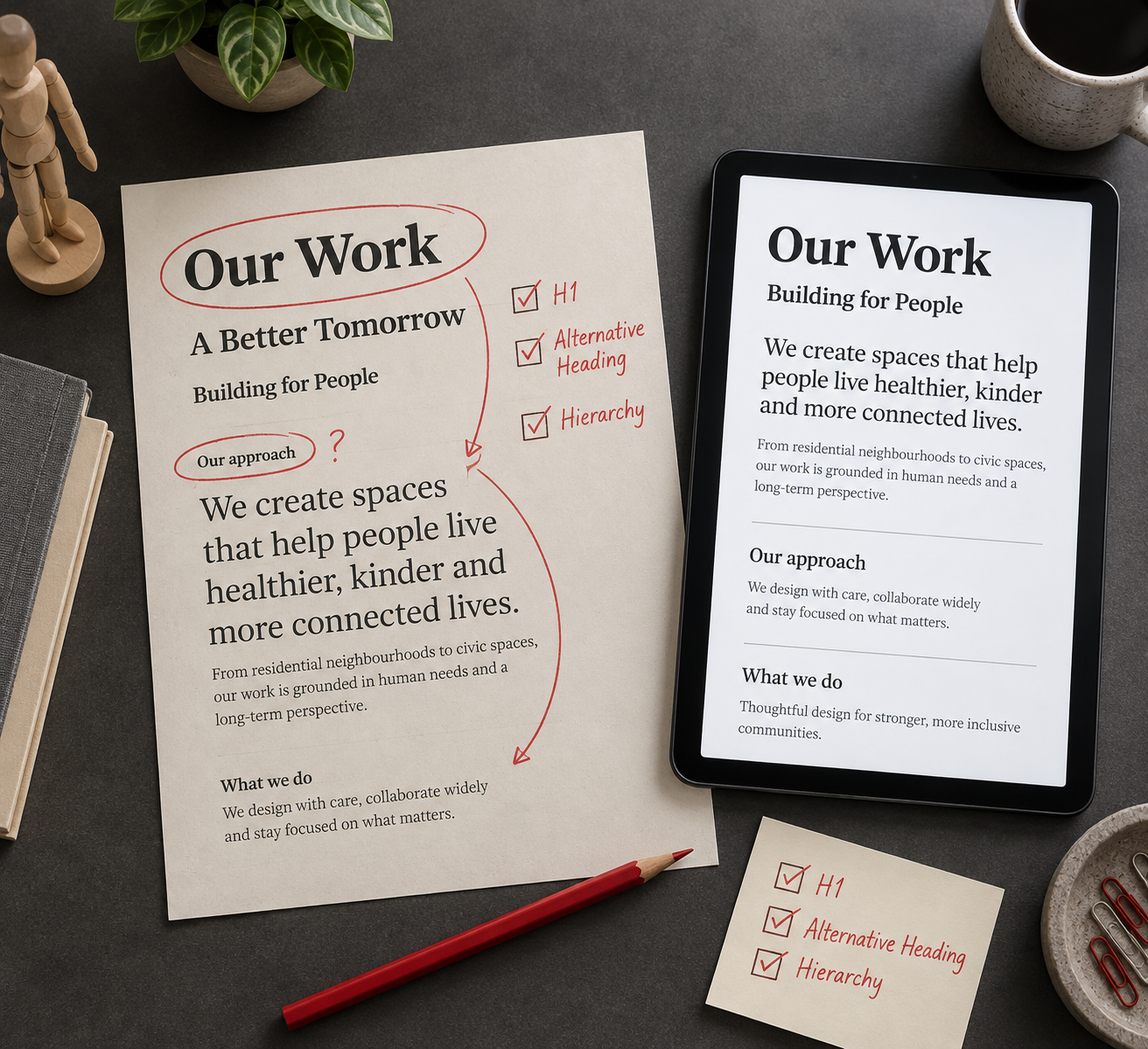
Every page needs one clear H1 and a set of alternative headings beneath it. They work together. The H1 names the page's topic; the H2-H6 tags split that topic into sections.
Use the H1 for the page's main promise, and use alternative headings for structure. If you're choosing one over the other, you're likely trying to rank with a subheading when the H1 is weak. That rarely works, because the H1 and the title tag are the two strongest on-page heading signals.
Choose the H1 fix first if your page has no H1, several H1s, or an H1 that doesn't match the query. Choose alternative headings if the H1 is fine but the page reads as one block of text.
Side-by-Side: H1 vs Alternative Heading
| Criterion | H1 | Alternative heading (H2-H6) |
|---|---|---|
| Count per page | One is the safe practice | As many as the content needs |
| Main job | Names the page topic | Divides and labels sections |
| Ranking weight | Small, but the strongest heading | Smaller, helps topical coverage |
| Screen reader use | Announces the page subject | Lets users jump between sections |
| Snippet influence | Supports the page's topic match | H2/H3 often feed list and paragraph snippets |
| Common error | Duplicated by theme templates | Skipped levels, chosen for font size |
Both tie on one point: neither is a keyword-stuffing opportunity. Repeating the same phrase in every heading reads as spam to users and adds nothing measurable.
How Each One Behaves in Practice
The H1 and the Title Tag
The title tag sits in the page's head and shows in search results. The H1 shows on the page. They don't have to match exactly. A title like "Alternative Heading vs H1: Which Is Better?" can pair with a shorter on-page H1, as long as both describe the same topic.
HTML5 technically allows several H1s inside sectioning elements, and Google has said it can handle them. Screen readers and other tools handle them less predictably, so keep one.
Alternative Headings and Hierarchy
Headings form an outline. An H2 sits under the H1, an H3 under an H2, and so on. Skipping from H2 to H5 breaks that outline for assistive technology, and users who navigate by heading lose their place.
Pick tags for structure, not size. If you want smaller text, change the CSS. Don't downgrade an H2 to an H4 because the theme's H2 looks too large.
Question-style H2s followed by a direct 40-60 word answer give you the best shot at a featured snippet. The format matches how Google pulls paragraph answers.
Quick Audit: Template Mistakes That Break the Hierarchy
Most heading problems come from themes and page builders, not from writers. Run this check on one page of each template type:
- Open the page source and search for
<h1. You should find exactly one. - Check whether the site logo or site title is wrapped in an H1 on interior pages.
- Look at sidebar and footer widgets. Many themes output widget titles as H2 or H3, which clutters the outline.
- In your page builder, confirm each heading widget's tag setting. Elementor and similar builders let you pick the tag separately from the style.
- On ecommerce sites, verify that the product name is the H1 and that "Related products" or "Reviews" blocks use H2, not H1.
- On category pages, check that the category name is the H1, not a banner slogan.
- Run a browser extension or crawler that lists headings and look for skipped levels.
A fix usually takes minutes in the theme's template file or builder settings. The drawback is that changes to a shared template touch every page using it, so test on a staging copy first.
When Not to Agonize
If your page has one H1 that matches the query and a logical H2-H3 outline, stop. Rewriting headings for a tiny gain is a poor use of time.
A/B testing headline variants is worth it only on pages with enough traffic to detect a difference, and you should judge results by click-through and engagement rather than by an assumed ranking bump. Low-traffic pages won't give you a clean result.
At scale, consistency matters more than cleverness. If you publish many articles a month, a fixed template with one H1 and ordered subheadings prevents the errors above. DraftSEO.ai generates 30 articles a month for connected sites and publishes through popular CMS integrations, and you can try it free with initial credits to see the heading structure it produces.
Which Should You Fix First?

Choose the H1 if your page has none, has several, or doesn't reflect the search query. Choose alternative headings if your H1 is sound but the content lacks clear sections, or if the outline skips levels. Choose neither if both are already clean; your time is better spent on content quality.
Neither option fits if the real problem is thin content. No heading tag rescues a page that doesn't answer the query.
Frequently Asked Questions
Does an alternative heading help SEO as much as an H1?
No. The H1 carries slightly more weight, and both are minor signals. Alternative headings mainly help readers scan and help search engines understand sections, which can improve snippet eligibility more than raw rankings.
Can I use more than one H1 on a page?
You can, since Google handles it, but you shouldn't. Extra H1s usually come from theme templates and confuse screen reader users. Keep one H1 and use H2s for everything else.
Should my H1 match my title tag exactly?
No. They should cover the same topic, but the title tag can be tuned for search results length, roughly 50-60 characters, while the H1 can be written for readers on the page.