Shopify stores get a big upgrade. Your articles can now feature your real products and show your own product photos, instead of AI images, wherever a product is discussed.
🛍️ Real Products, Real Photos
When a product fits the topic, the article names it, links to it and shows its photo right where it is mentioned.
Up to 3 products per article. The main product's photo can become the cover image.
A photo always comes from that product's own gallery, so it never shows the wrong product.
Your photos stay on your Shopify store. Nothing is copied or re-uploaded.
✅ You Choose What Gets Used
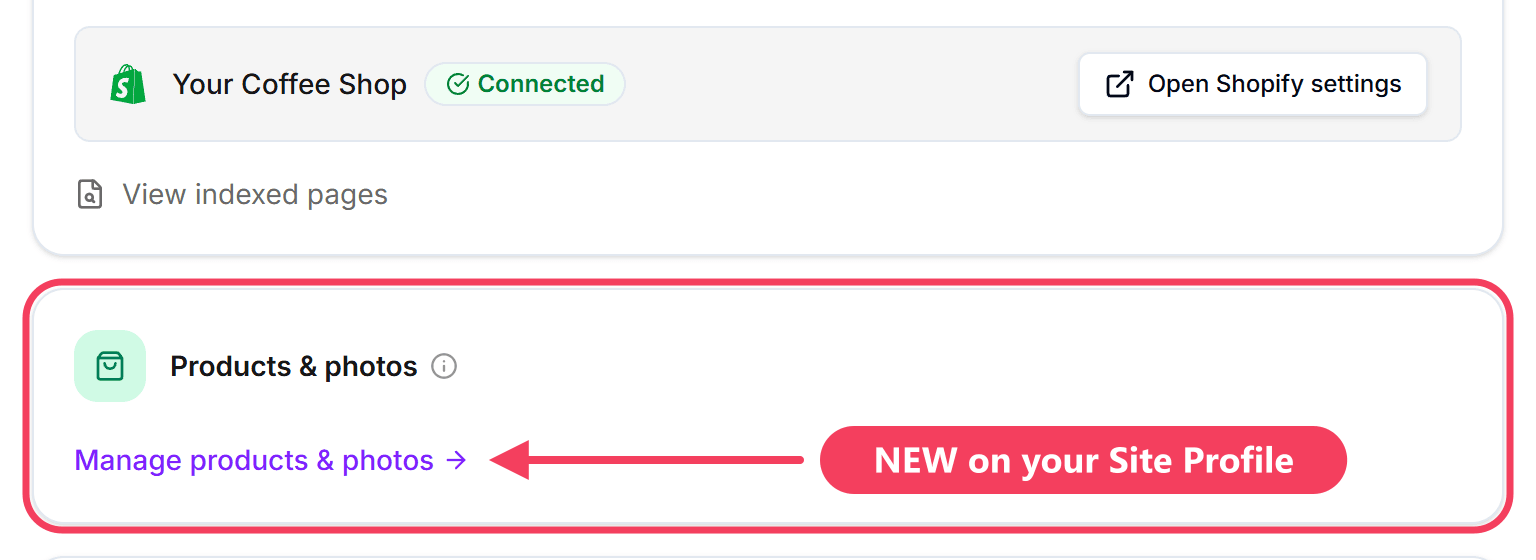
Open your Site Profile and click Manage products & photos.
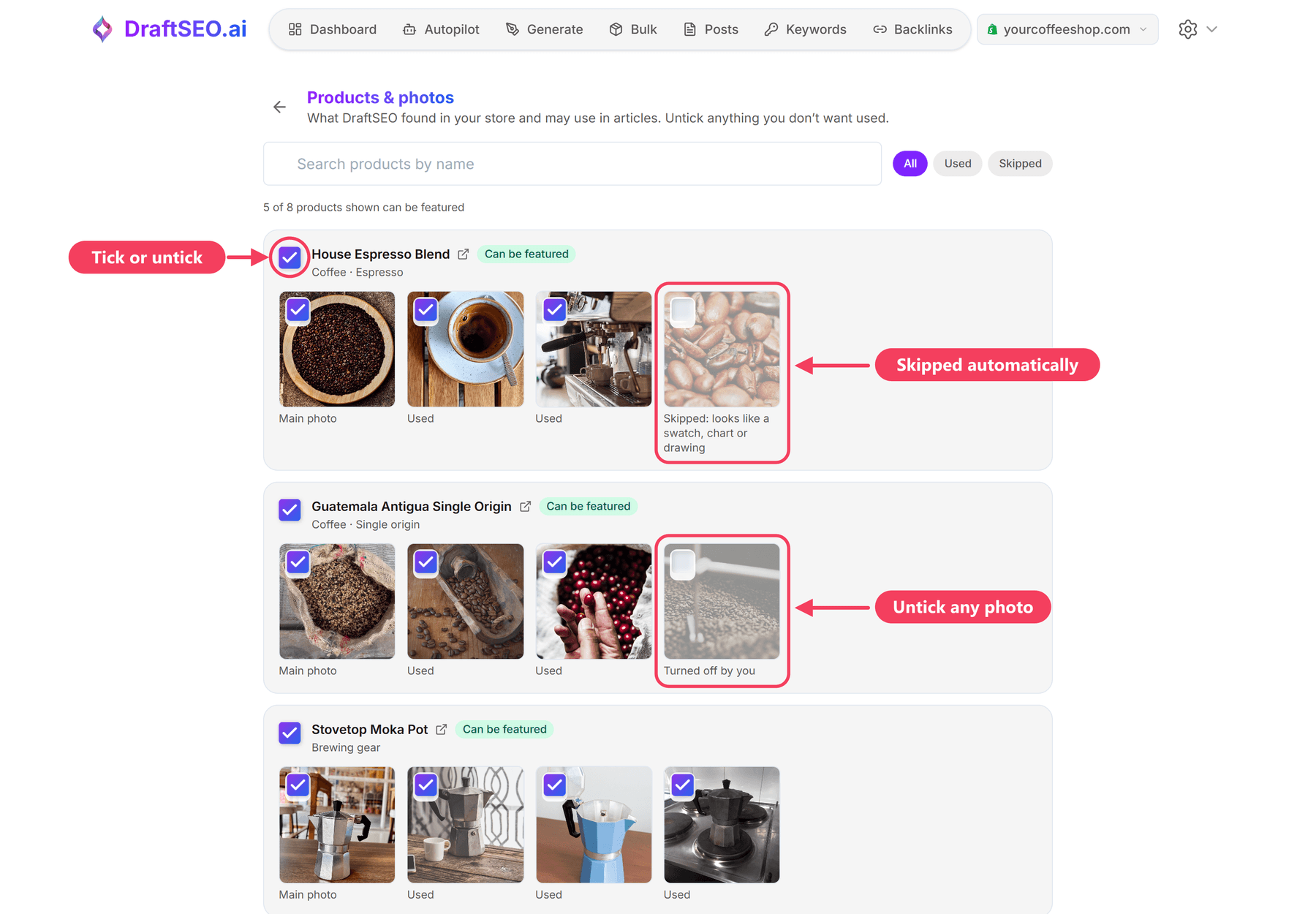
See every product DraftSEO found in your store and each of its photos.
Untick any product or photo you don't want in your articles.
Sold-out products, gift cards, samples and add-ons are skipped automatically.
Swatches, size charts and drawings are skipped too. Tick one to use it anyway.
⚙️ How to Set It Up
It is on by default for Shopify sites. No reconnecting needed.
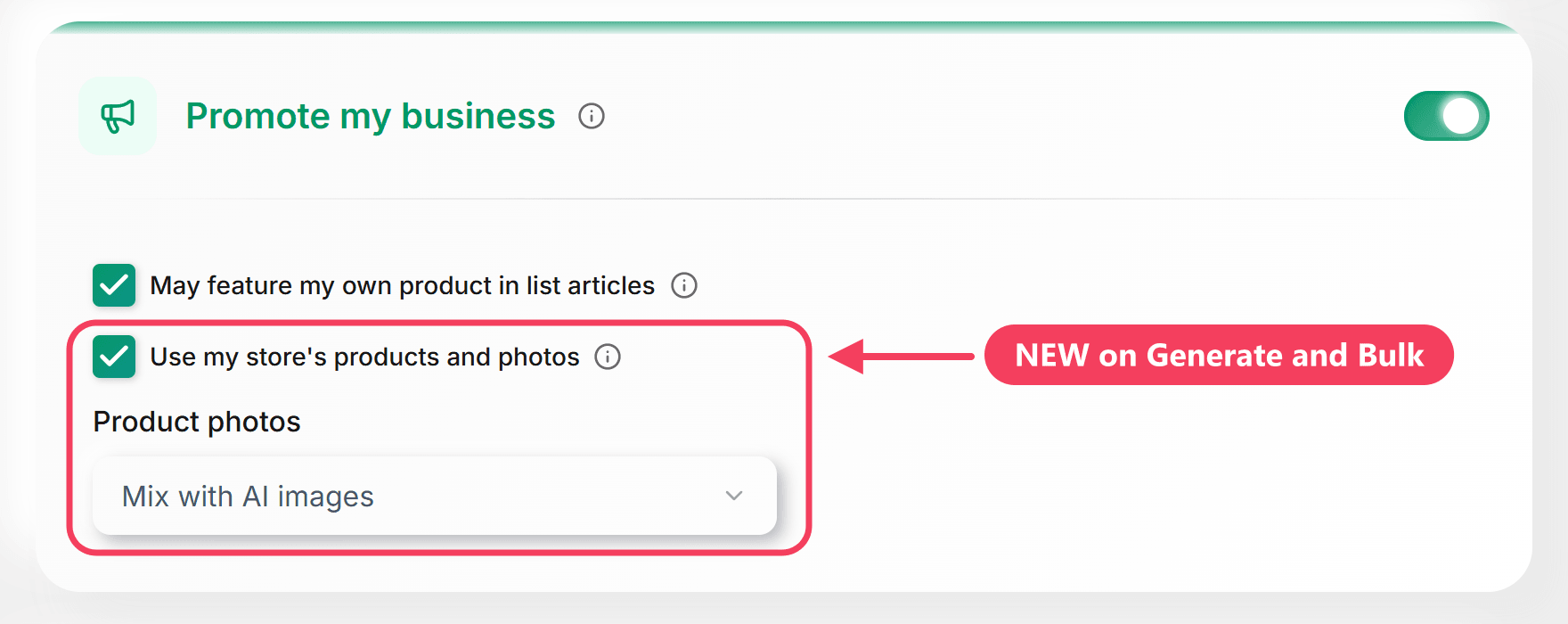
Generate and Bulk: in "Promote my business", tick Use my store's products and photos.
Product photos: choose "Mix with AI images" or "Only my product photos (no AI images)".
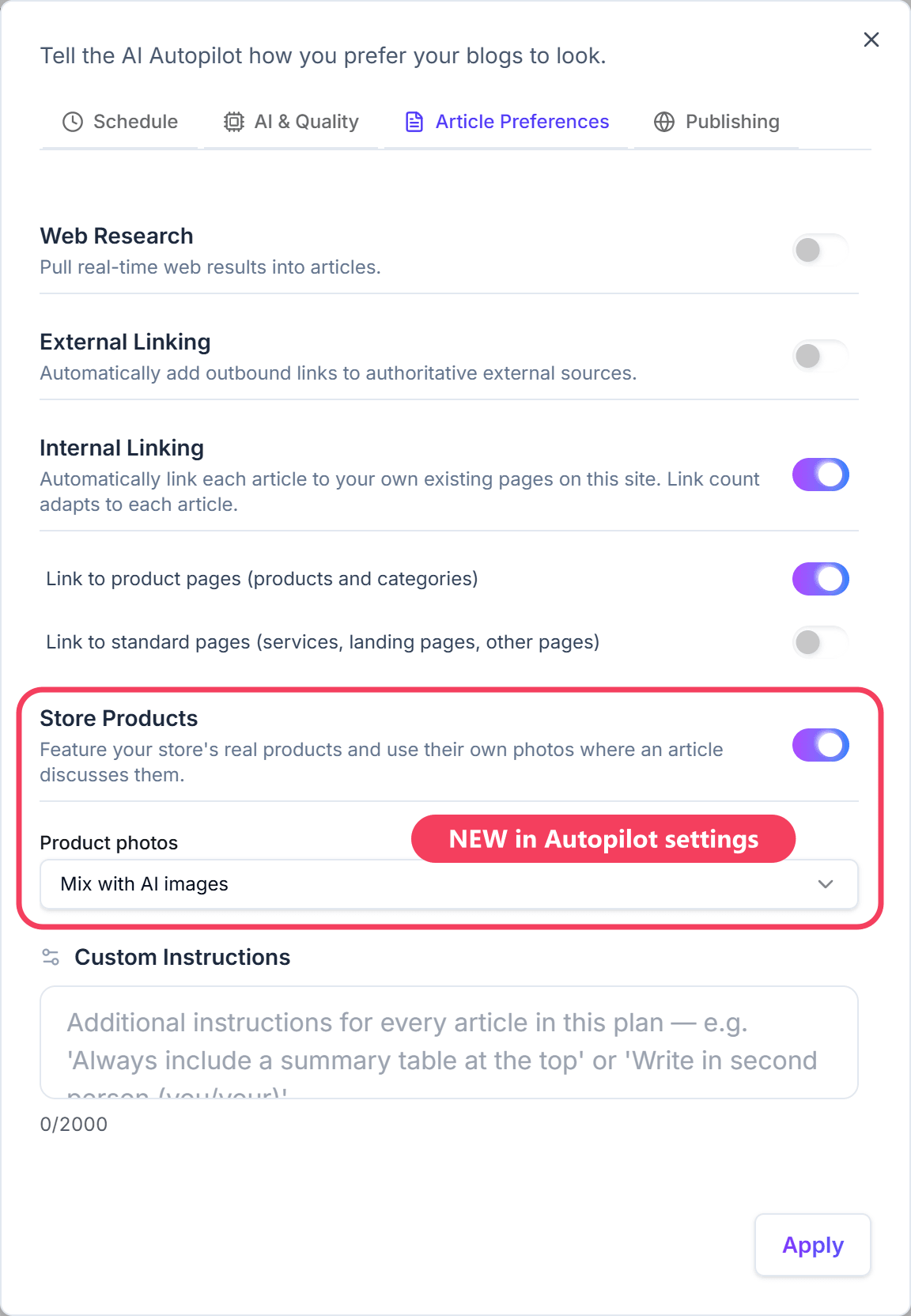
Autopilot: Autopilot settings → Article Preferences → Store Products. It also applies to articles already on your calendar.
💡 Good to Know
Shopify only for now. More store platforms are coming.
"Promote my business" must be on, and the article must be in the same language as your store.
In the editor, hover a photo to see the "From your store" label.
If you later delete a product photo, the article publishes without it instead of showing a broken image.