Aug 31, 2026

SEO Tip 1 - Use Keywords in Titles
DraftSEO Team
Google's own search results display roughly 50-60 characters of a title before cutting it off with an ellipsis. That single limit explains why so many otherwise well-optimized pages lose clicks: the keyword is there, but the message gets chopped mid-sentence. Getting keywords in title tags right is still one of the fastest on-page fixes available, and it costs nothing but attention to word order and length.
Why Keywords in Titles Still Matter for Rankings
Google uses the title tag as a strong relevance signal, matching it against the query to decide which pages deserve a spot in the results. A title without the target phrase forces the algorithm to rely more heavily on body content and links to guess what the page is about — a weaker signal that puts you at a disadvantage against competitors who spelled it out.
This isn't a ranking hack from 2012. It's a basic indexing mechanic that hasn't gone away, even as Google's language models have gotten better at understanding synonyms and intent. The title tag is still the first piece of text both the crawler and the human reader see.
Title Tag vs. H1: Two Different Jobs
The title tag lives in the page's <head> and shows up in the browser tab and the SERP snippet. The H1 is the visible on-page headline. They can be identical, but they don't have to be, and treating them as one field is a common mistake.
A product page might use an H1 like "Men's Trail Running Shoes" for readability, while the title tag reads "Men's Trail Running Shoes | Free Shipping Over $50 — [Brand]" to pack in a CTR driver. Optimize only one and you're leaving half the real estate unused.
Keyword Proximity: Front-Load When You Can
Search engines appear to weight terms slightly higher when they appear earlier in the title. Practically, that means "Trail Running Shoes for Men: Sizing Guide" tends to outperform "A Guide to Sizing for Men's Trail Running Shoes" for the same query, all else equal.
This is a small edge, not a guarantee. Don't force awkward phrasing just to move a keyword three words to the left — a title that reads like a Mad Lib will hurt CTR more than proximity helps rankings.
SEO Title Length and Pixel Width: Where Titles Get Cut Off
Titles get truncated based on pixel width, not character count, because Google renders proportional fonts where a lowercase "i" takes less space than a capital "W." As a practical guide, keep titles under about 60 characters and you'll usually stay inside Google's roughly 600-pixel display limit on desktop.
Mobile search results give you a bit more horizontal room in some layouts, but treating 60 characters as your ceiling is the safer default across devices. Titles that run to 70 or 80 characters aren't penalized in rankings, but the tail end simply won't show, which quietly wastes any keyword or CTA you put there.
| Title Length | Approx. Pixel Width | What Happens in the SERP |
|---|---|---|
| 30-40 characters | ~300-400px | Full title shows, may look sparse |
| 50-60 characters | ~500-600px | Full title usually shows, sweet spot |
| 65-75 characters | ~650-750px | Frequently truncated with an ellipsis |
| 80+ characters | 800px+ | Almost always cut off mid-word or mid-phrase |
Branding adds another wrinkle. A suffix like "| Acme Outdoor Co." is worth including for recognition, but it should sit at the end, after the keyword has already done its job — never in front, where it burns your limited pixel budget before the reader learns what the page is about.
Avoiding Keyword Stuffing While Still Ranking for Variants
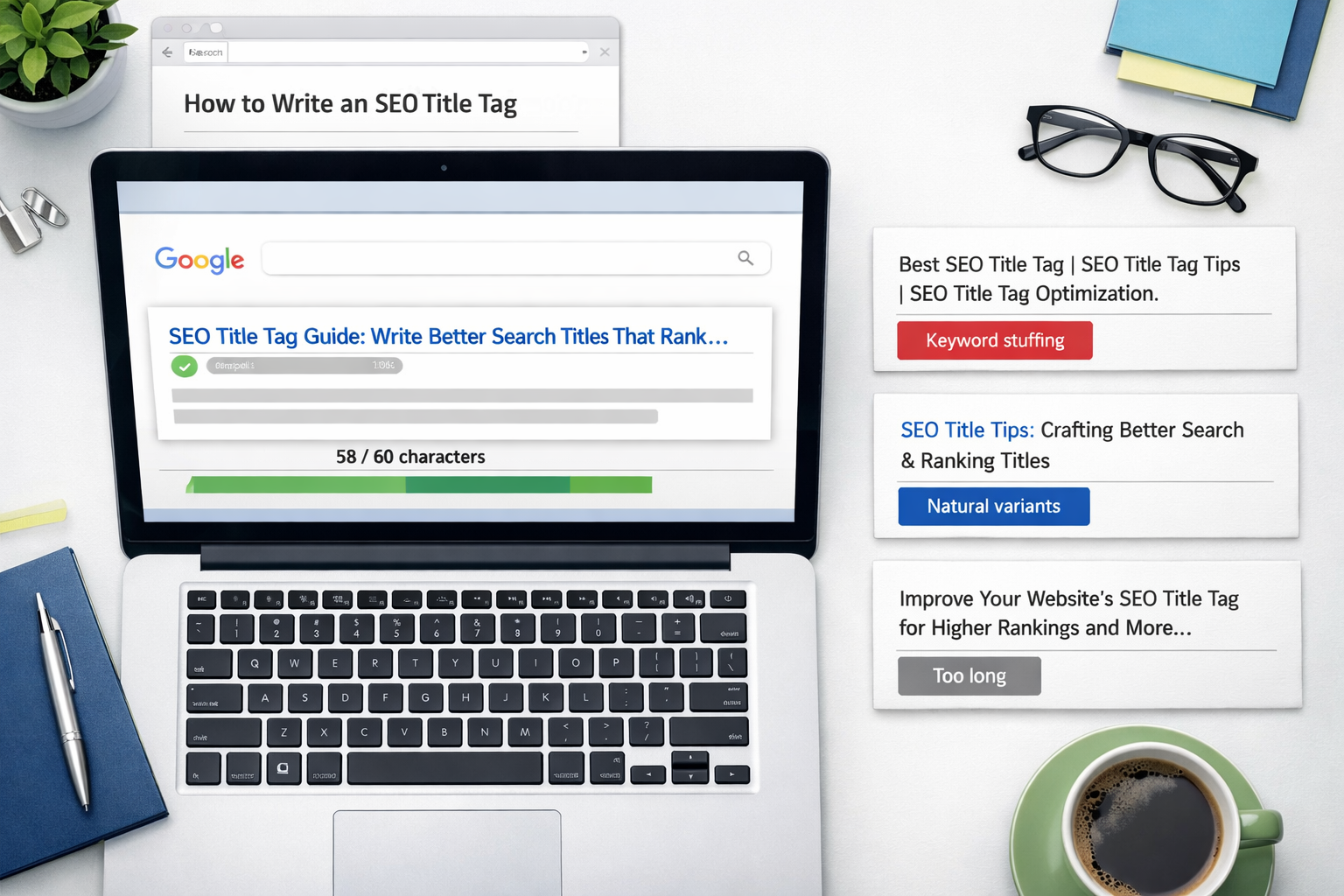
Cramming multiple keyword variations into one title — "Running Shoes, Trail Shoes, Best Running Shoes for Men 2024" — reads as spam to a human and doesn't help rankings the way it did fifteen years ago. Google's algorithms flag repetitive phrasing, and users skip results that look robotic in the SERP.
One well-placed instance of the primary phrase, plus a natural modifier or two, beats five awkward repeats. "Best Trail Running Shoes for Men in 2024" covers the intent, reads cleanly, and still contains the exact phrase a searcher typed.
The Real Differentiator: Matching Intent, Not Just Placing Words
Keyword placement gets you into consideration. It does not win the click, and increasingly, it does not win the AI-generated answer box either, since tools like ChatGPT and Google's AI Overviews summarize based on how well a page's title and content match the question being asked, not just whether a string matches.
A title that names the keyword but ignores what the searcher actually wants — a price comparison, a how-to, a size chart — will rank below a slightly less "optimized" title that nails the intent. Before finalizing a title, check the top five current results for that query and ask what job they're doing (list, review, tutorial), then match or beat that framing.
A Practical Sequence for Writing Titles at Volume
Publishing one article a month, you can hand-craft every title. Publishing 30 a month across several client sites, title writing turns into a workflow problem, and skipping a step becomes routine.
- Pull the primary keyword and confirm it matches the article's actual content.
- Draft two or three title variants, keyword placed within the first 60 characters.
- Check each variant against a pixel-width preview tool, not just a character counter.
- Compare against top-ranking SERP results for tone and format (list, guide, comparison).
- Assign the H1 separately, even if it closely mirrors the title tag.
- Add branding only if pixel budget remains.
- Log the final title in your CMS field, not just the body heading.
Click-Through Rate: The Metric Title Tags Actually Control
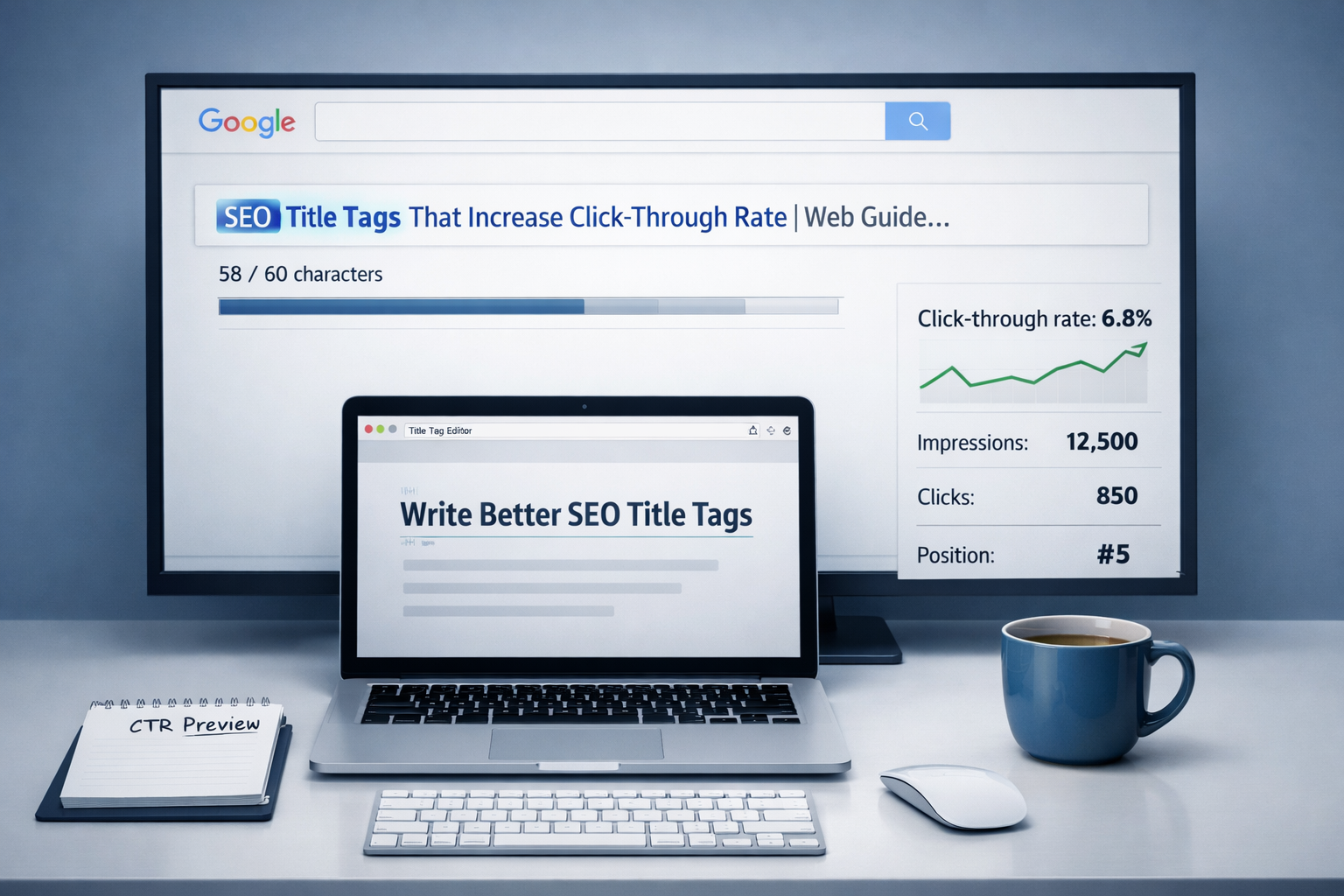
CTR measures the percentage of people who see your snippet in search results and click it, and title tag wording is the single largest on-page lever for moving that number. Two pages can rank in the same position and pull very different CTRs based on title phrasing alone.
Numbers, brackets, and current years tend to lift CTR because they signal specificity: "7 Trail Running Shoes Tested in 2024" reads as more concrete than "Trail Running Shoes Guide." Questions work well for informational queries, since they mirror how people search.
This is also where a keyword-in-title checklist runs out of usefulness. A title can hit every technical requirement — keyword present, under 60 characters, no stuffing — and still underperform a competitor's if that competitor's title promises a sharper outcome. Testing two or three title angles for a page, when you have the traffic to support a real comparison, tells you more than any rule of thumb.
At scale, this is exactly the piece that's easy to skip. When a content calendar produces dozens of articles monthly, titles get written fast, then forgotten. DraftSEO.ai builds keyword placement, length limits, and intent matching into its automated title generation for every article it produces, and a free trial with starting credits lets you check that against your own niche before committing at https://draftseo.ai/pricing.
Frequently Asked Questions
Should the exact keyword phrase always appear in the title tag?
In most cases, yes — it's the strongest relevance signal available. The exception is when forcing an exact match creates awkward phrasing; a close natural variant that still reflects the query usually performs better than a robotic exact match.
Does changing an old title tag hurt existing rankings?
It can cause temporary fluctuation while Google re-crawls and re-evaluates the page, typically settling within a few days to a couple of weeks. If the new title better matches search intent, rankings and CTR usually improve after that adjustment period.
How many keywords should go in one title tag?
One primary keyword, occasionally with a single natural modifier (a year, a location, or "best"). Adding several keyword variations in one title reads as stuffing and tends to lower CTR even if rankings hold steady.