Aug 2, 2026

Ghost Alternatives: 7 Best Picks for 2026
DraftSEO Team
Ghost powers roughly 40,000+ live publications by some independent estimates of its market footprint, but that number matters less than this one: switching CMS platforms typically costs a site 2-6 weeks of organic traffic while redirects and crawl signals settle. If you're already weighing ghost alternatives, that migration tax is the real variable, not the theme gallery.
Most comparisons stop at feature checklists — memberships, themes, editor quality. The better question is whether a platform lets you publish consistently and structure content Google and AI engines can parse. That's what decides ranking outcomes, not the CMS logo.
Choosing a Ghost Alternative by Publishing Needs, Not Design
The right ghost alternative depends on how much content you publish monthly and who's producing it, not on which theme looks best in a demo. A solo blogger publishing four posts a month has completely different requirements than an ecommerce team running a content operation with five writers.
Start by separating your actual bottleneck. Is it the editor experience, the SEO structure of your output, or the sheer volume you can get published each month? Most site owners assume it's the CMS itself. In practice, it's almost always publishing velocity — how many well-structured, keyword-targeted articles you can get live per month without burning out a writer or a budget.
This is where the roundup differs from most "Ghost vs X" comparisons you'll find. WordPress, Webflow, and Substack all solve different problems, and none of them solve the volume problem by default. If your traffic goal depends on shipping 20-30 SEO articles a month, the platform is secondary to whatever process generates that content. A tool like DraftSEO.ai fits here as a layer on top of your CMS choice — it's built to research, write, and publish a set volume of SEO-structured articles each month rather than replace your CMS entirely.
Matching Platform to Team Size
A one-person operation usually wants low maintenance overhead: hosted platforms, minimal plugin management, fast editor load times. A five-person content team needs multi-author permissions, editorial workflows, and ideally an API for programmatic publishing.
Matching Platform to Monetization Model
If subscription revenue is the goal, prioritize platforms with native payment processing over ones that need third-party plugins bolted on. Ghost itself handles this well through Stripe integration; several alternatives on this list require add-ons that add both cost and points of failure.
Get this decision wrong and you'll re-platform again within 18 months — which brings its own SEO cost, covered later in this piece.
WordPress: The Default Choice for SEO Control
WordPress is the strongest ghost alternative for site owners who want granular SEO control and don't mind managing plugins and hosting. It powers over 40% of all websites globally, and its plugin ecosystem (Yoast, Rank Math, WP Rocket) covers nearly every technical SEO need out of the box.
The appeal is flexibility. You can run WordPress on managed hosting like WP Engine or Kinsta, or self-host on a VPS for under $20 a month. Either way, you get full control over schema markup, redirect management, and crawl budget optimization that hosted platforms often abstract away or lock behind higher tiers.
The tradeoff is maintenance. Plugin conflicts, security patching, and core updates are your responsibility unless you pay for managed hosting. Plugin bloat is the most common complaint from agencies managing multiple WordPress sites — every added feature is another dependency that can break on update day.
For ecommerce site owners, WordPress plus WooCommerce remains one of the few combinations that supports content marketing and product catalogs on one stack. That matters if your SEO strategy depends on blog content driving traffic into product pages.
Technical SEO specialists tend to prefer WordPress specifically because of control over robots directives, canonical tags, and structured data at the template level — something several newer platforms still restrict.
When WordPress Is the Wrong Call
If you have no in-house technical resource and no budget for a developer, WordPress can become a liability. A poorly maintained WordPress site is more vulnerable to security issues than most hosted alternatives, and recovery costs (cleanup, downtime, lost rankings) often exceed what managed hosting would have cost upfront.
When It's the Right Call
Choose WordPress when SEO customization and content volume both matter, and you have at least basic technical support — whether in-house or via an agency — to keep it running.
Webflow and Squarespace: Design-First Platforms With SEO Limits
Webflow and Squarespace both prioritize visual design over content operations, which makes them weaker ghost alternatives for anyone running a serious publishing schedule. They're solid choices if your site is mostly a marketing brochure with an occasional blog post — not if organic content is your primary growth channel.
Webflow gives designers and agencies precise control over layout without writing CSS, and its CMS collections can technically support blog content. But the editor experience for writers is clunky compared to a dedicated blogging tool, and adding structured data beyond the basics often requires custom code embeds.
Squarespace is simpler to operate but even more limited for SEO work. Bulk content operations — internal linking at scale, custom schema, granular URL structure control — are harder to execute than on WordPress or Ghost. Site owners often outgrow it within a year of serious content investment.
Neither platform was built with high-frequency publishing in mind.
I'd only recommend either one to a website agency building a portfolio site, small local business site, or landing page-heavy site for a client who publishes once or twice a month at most. If the client's growth plan depends on ranking 50+ keywords through a blog, steer them toward WordPress or Ghost instead — the migration later will cost more than picking correctly now.
Substack and Medium: Newsletter-First, SEO-Second
Substack and Medium solve for audience-building and newsletter distribution first; SEO is a secondary benefit, not the design goal. If your monetization model is subscriber revenue rather than organic search traffic, both are reasonable ghost alternatives — with real limits.
Substack's biggest strength is built-in email distribution and a simple, one-click subscribe experience. Writers switching from Ghost often cite the reduced technical overhead: no hosting, no plugins, no server maintenance. The tradeoff is domain authority dilution — unless you're on a custom domain and doing so correctly, your content lives partly under substack.com, splitting SEO equity between your brand and the platform.
Medium has a similar structure but weaker monetization tools for anyone outside its Partner Program, and even less control over technical SEO elements like meta descriptions or structured data.
Neither platform gives you the redirect and canonical control you'd want during a CMS migration. If you build an audience on Substack for two years and later decide to move to a self-hosted setup, expect real friction extracting and redirecting that content without losing existing rankings.
- Export your post archive (Substack and Medium both support this, though formatting often needs cleanup).
- Map old URLs to new URLs before touching DNS.
- Set 301 redirects at the new host for every legacy URL.
- Resubmit your sitemap in Google Search Console immediately after cutover.
- Monitor crawl stats and impressions daily for the first two weeks post-migration.
Skipping any of these steps is how sites lose 20-30% of organic traffic during a platform switch — a completely avoidable outcome.
Wix: Easiest Setup, Weakest Long-Term SEO Ceiling
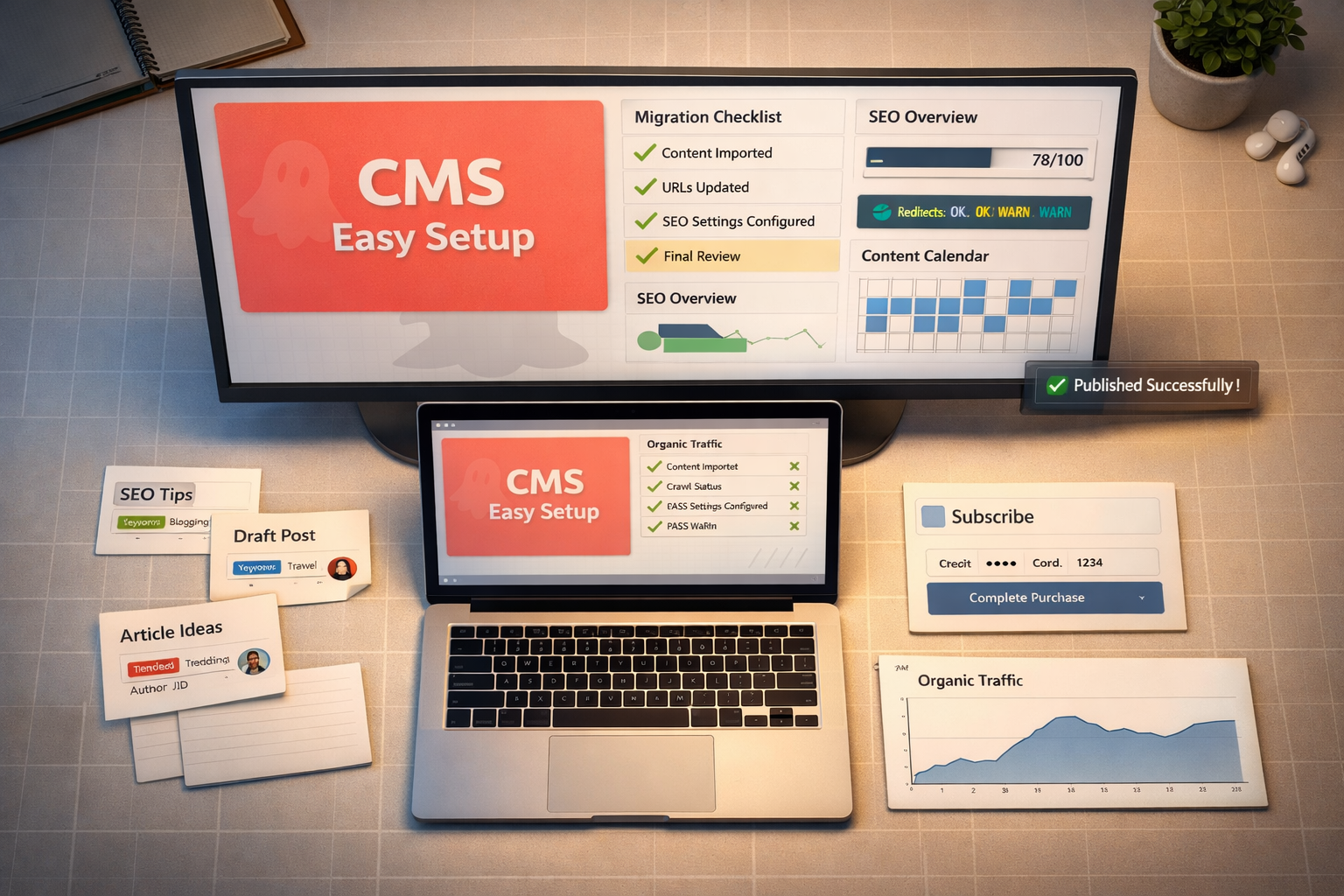
Wix is the easiest ghost alternative to set up if you have zero technical background, but it has the lowest SEO ceiling of any platform on this list once your content volume grows past a hobby level. It's a fine starting point; it's a poor long-term SEO platform.
The drag-and-drop editor genuinely removes the learning curve. You can have a working site with a blog live in an afternoon, and Wix's ADI (Artificial Design Intelligence) tool speeds up initial setup further. For a small business owner who just needs a professional-looking site fast, that's real value.
The problem shows up at scale. Wix historically struggled with page load speed on content-heavy sites, and while the platform has improved Core Web Vitals scores in recent updates, it still trails WordPress and Ghost on raw technical SEO flexibility — things like custom schema markup, granular robots.txt control, and clean URL structuring for large content libraries.
Migrating away from Wix later is also harder than most owners expect. Wix doesn't allow direct database exports the way WordPress does; content extraction is manual, page by page, in many cases. That's a real cost buried in an otherwise "free to start" decision.
Where Wix Genuinely Wins
Local service businesses — plumbers, dentists, small retail shops — that need five to ten pages and minimal ongoing content rarely hit Wix's ceiling. If you're not planning to publish 15+ SEO articles a month, the platform's limitations may never matter to you.
Where Wix Falls Short
Any ecommerce site owner or content-driven brand planning to scale past 100 published articles should treat Wix as a temporary solution, not a permanent home. The rebuild cost later is higher than the setup savings now.
Headless CMS Options: Ghost Alternatives for Technical Teams
A headless CMS separates content storage from presentation, which gives technical SEO specialists and developers far more control over site speed and structured data than traditional platforms — at the cost of needing actual development resources to build the front end. This is the option for teams, not solo bloggers.
Platforms in this category — Contentful, Sanity, Strapi — let you push content through an API into whatever front-end framework you choose: Next.js, Astro, Gatsby. The upside for SEO is significant. You get complete control over rendering, meaning faster Core Web Vitals scores and precise handling of canonical tags, structured data, and internal linking at the template level.
The downside is obvious once you say it out loud: someone has to build and maintain that front end. Unlike WordPress or Ghost, there's no default theme you install and go. For an agency with in-house developers, that's a feature. For a solo content creator, it's a dealbreaker.
Here's a comparison of how the major headless options stack up against traditional CMS platforms on the factors that actually affect SEO output:
| Platform | Setup Complexity | SEO Control | Best For | Approx. Monthly Cost |
|---|---|---|---|---|
| WordPress | Medium | High | Content teams, ecommerce | $15-$100+ |
| Ghost (self-hosted) | Medium-High | High | Newsletter + blog hybrid | $20-$50 |
| Contentful (headless) | High | Very High | Dev teams, multi-channel content | $0-$489+ |
| Wix | Low | Low-Medium | Small local business sites | $16-$59 |
| Substack | Low | Low | Newsletter-first creators | Free (fee on paid subs) |
Cost comparisons like this expose a common assumption worth correcting directly: self-hosted platforms are not automatically cheaper long-term. A self-hosted WordPress or Ghost install saves on subscription fees but adds hosting, security, backups, and developer time whenever something breaks. Factor in an agency retainer or your own hourly rate for maintenance, and the "free" self-hosted option often costs more over two years than a hosted plan with support included.
AI-Driven SEO Content Publishing: The Layer Most Comparisons Skip

The CMS you choose determines how content gets stored and displayed. It does not determine whether you actually produce enough SEO content to rank. That gap — between having a capable platform and having a full content calendar — is where most ghost alternatives comparisons fall short, and where an AI content platform becomes the more relevant decision.
DraftSEO.ai sits in this gap directly. It generates 30 articles a month for connected sites and integrates with popular CMS platforms for publishing, which means the platform question (WordPress, Ghost, headless CMS, whatever you land on) becomes secondary to the output question: can you actually get consistent, structured content live every week without hiring a full writing team?
This matters more for ecommerce site owners and agencies managing multiple client sites than for a solo blogger publishing occasionally. If you're running SEO for six client sites and each needs 4-8 articles a month, manual production at that scale is either expensive (freelance writers) or unreliable (in-house staff stretched across accounts). Automating that layer changes the math on both cost and consistency.
It's worth being honest about the limits here too. DraftSEO.ai handles research, writing, and publishing — it does not do rank tracking, traffic analytics, or backlink work. You'll still need Google Search Console and your existing analytics stack to measure whether the content is actually moving rankings.
For teams evaluating whether the investment makes sense against their current output, comparing plans on the DraftSEO.ai pricing page is a reasonable next step before committing to any single CMS migration — the content engine matters at least as much as where it publishes.
I'd treat this as a companion decision to your CMS choice, not a replacement for it. Pick your platform based on the criteria above; pick your content production method based on how much volume your traffic goals actually require.
Migration Risk: What You Lose Moving Off Ghost
Every CMS migration risks losing indexed pages, backlink equity, and ranking positions if redirects and crawl signals aren't handled correctly — and this risk applies whether you're leaving Ghost for WordPress, Substack, or a headless setup. Underestimating this is the single most common mistake in platform-switch discussions.
The core issue is URL structure change. Ghost generates URLs in a specific pattern; most alternatives use a different one by default. Unless you map every old URL to its new equivalent and implement 301 redirects at the server or CMS level, Google treats the new pages as entirely new content — no accumulated authority carries over.
Backlink equity is the second casualty. If other sites link to your Ghost post URLs and those URLs 404 after migration, the link equity from those backlinks is lost unless redirects are in place. For a site with meaningful referral traffic and backlink profile, this can be more damaging than the content loss itself.
Expect a temporary ranking dip even with perfect execution. Google needs time to recrawl and reindex the new URL structure, and that process commonly takes 2-6 weeks depending on your site's crawl frequency and Search Console signals. Sites with strong existing authority typically recover faster than newer sites.
The practical fix is straightforward but often skipped under deadline pressure: build the full URL redirect map before touching DNS, not after. Export your Ghost sitemap, list every published URL, and match it against the destination platform's URL pattern in a spreadsheet before migration day.
Don't skip staging. Test the redirect map on a staging environment first — a single missed redirect on a high-traffic page can cost more organic traffic than the entire migration was worth.
Getting Started: Comparing Platforms With a Free Trial First
The fastest way to decide between ghost alternatives is to test the actual publishing workflow before committing, not to read another comparison chart. Most platforms — CMS and content tools alike — offer some form of free trial specifically because reading about a workflow and living in it for a week produce different conclusions.
For WordPress, that means spinning up a free trial with a managed host and testing the editor, plugin setup, and page speed on a sample post. For a headless CMS, it means asking a developer to prototype one content type before committing budget to a full build. For Substack or Medium, it costs nothing but time to publish a handful of posts and watch how discovery and email delivery actually perform.
The same logic applies to the content production layer. If the real bottleneck is publishing volume rather than the CMS itself, testing that directly makes more sense than testing five more themes. DraftSEO.ai includes a free trial with initial credits, so you can run it against your own niche and see the article structure and publishing integration before deciding whether it fits your workflow. Comparing that output against your current production cost and speed is a faster way to reach a decision than reading a tenth roundup article.
Whatever you land on, run the same test across every option you're seriously considering: same topic, same word count target, same review process. Comparing based on that hands-on trial run — checking the DraftSEO.ai pricing tiers against what a freelance writer or agency retainer would cost you for the same output — tends to surface the real cost and quality differences faster than a spec sheet ever will.
Frequently Asked Questions
Is Ghost still worth using in 2026, or should I switch now?
Ghost is still worth using if you need clean, fast publishing with native memberships and don't require heavy SEO plugin customization. Switch only if your growth plan needs WordPress-level SEO control or headless flexibility.
Which Ghost alternative is best for ecommerce sites specifically?
WordPress with WooCommerce is generally the strongest fit, since it combines product catalog management with full SEO control over blog content that drives traffic into product pages — something Wix and Squarespace handle less flexibly at scale.
Do all Ghost alternatives support paid newsletters and memberships?
No. Ghost, Substack, and WordPress (via plugins like MemberPress) support this natively or near-natively. Webflow, Squarespace, and Wix generally require third-party integrations, adding cost and potential points of failure.
How long does a typical CMS migration take, including SEO recovery?
Technical migration usually takes one to four weeks depending on content volume; full SEO recovery, where rankings return to pre-migration levels, commonly takes another two to six weeks if redirects are handled correctly from day one.